
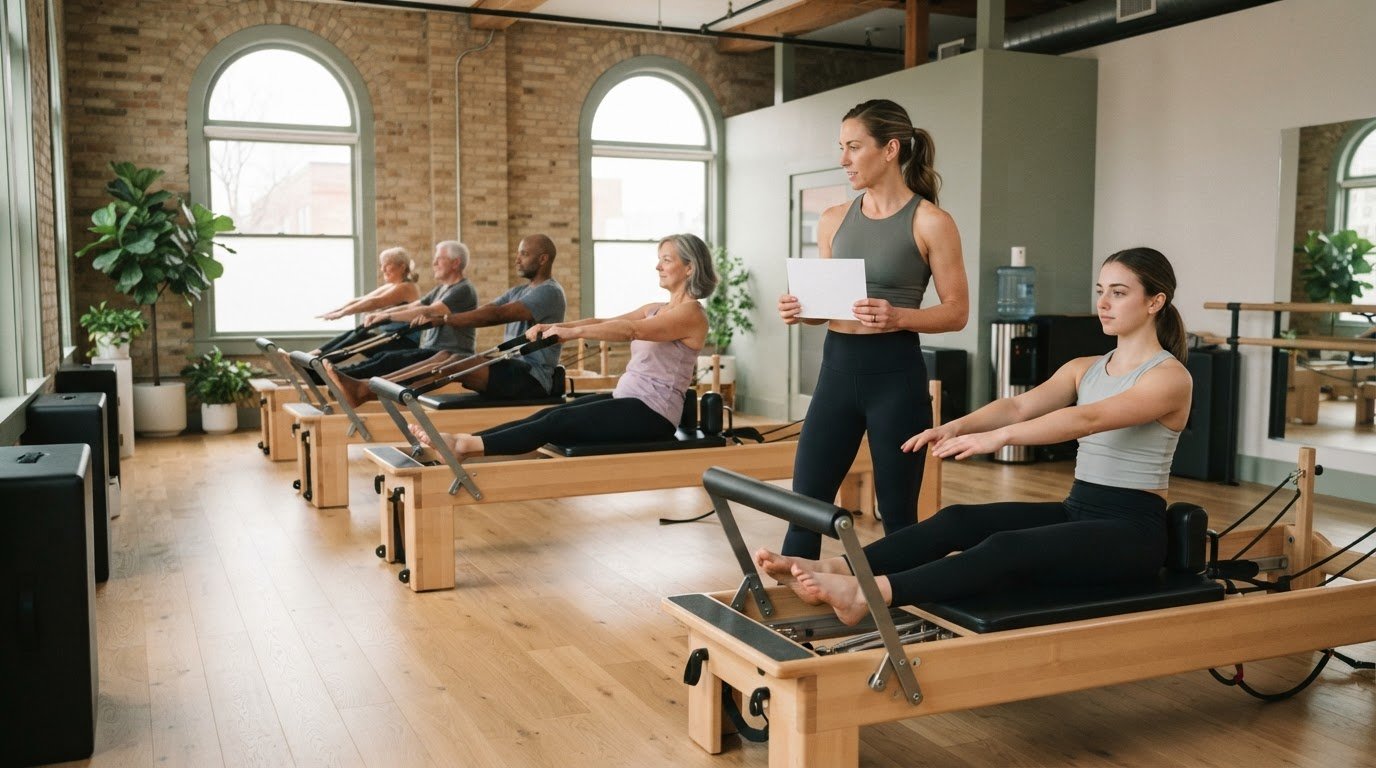
A class plan should guide your teaching, not compete for your attention. Glanceable Pilates class notes make it easier to see the next exercise and adapt in the moment; when a client can’t do a movement, replace it with a similar one that targets the same muscle group. That kind of quick reference can be especially useful when one or two clients need modifications.
Planning ahead gives your class a clear shape, but the room may call for changes. Notes that are easy to scan help you keep the sequence in view, make thoughtful adjustments, and stay present with the people in front of you.
Here, you’ll find practical ways to adapt exercises, teach from a studio plan, shape a cohesive class, and prepare sessions without overloading your working memory. We’ll cover what to include in a plan, how to use it while teaching, and how a focused planning routine can support a calmer class flow.
Key Takeaways
- When a client can’t do an exercise, choose a similar movement that targets the same muscle group.
- Arrange your studio plan around sequence and equipment transitions so you can keep teaching without losing the class’s flow.
- Keep notes easy to scan: make the exercise order, key cues, and any setup details clear at a glance.
- Prepare with the client’s experience and needs in mind, then adapt the plan to what suits them that day.
- Use a curated exercise library and sequencing tools to streamline Reformer class planning and keep session details close at hand.
Table of Contents
- 1. Modifying exercises for injuries and prenatal needs
- 2. Teaching from a plan in the studio
- 4. Preparing Pilates sessions
- 4. How to format Pilates notes for quick reference during class?
- 5. What are common Pilates exercises and their key cues?
- ReformerFlow by Ginty: ReformerFlow App Subscription
1. Modifying exercises for injuries and prenatal needs
A group class may include one or two clients who need changes for an injury or prenatal needs. A useful plan accounts for those possibilities before the first repetition. Mark the exercise that may need an alternative, then note its movement goal. That gives you a clear starting point if the planned version isn’t suitable for someone.
Choose an alternative with a similar movement purpose and target muscle group. If a planned exercise emphasizes hip extension, for example, select another movement with that focus rather than an unrelated exercise. The alternative need not look identical, but it should suit the class objective and the client’s needs. Write the original and alternative side by side so you can find the option quickly while teaching.
Make each note specific enough to guide your next step. Instead of writing “modify for injury,” record the exercise, its intended focus, and the alternative you’ve chosen. Add a brief cue to introduce the change, such as “use the alternate hip-extension movement.” This makes the adjustment purposeful rather than a response to a vague reminder.
Prepare alternatives for prenatal needs with the same care. Identify exercises in your sequence that may need adapting, then note options that serve the class focus. Don’t assume one variation suits every pregnant client. Use the note to prompt you to consider the client’s communicated needs and the relevant guidance they follow, rather than treating pregnancy as one uniform condition.
Use a consistent format: exercise, goal, alternative, and cue. For instance, a note might read “Exercise A, hip extension, alternate movement B, cue: keep the transition steady.” This compact structure makes options easy to compare. Glanceable Pilates class notes keep the original sequence intact while making planned adaptations visible when your attention is divided.
Review alternatives before class, not only when a client encounters difficulty. Check that each replacement supports the sequence and that its setup works in the studio. During class, explain the adapted option calmly and clearly, then observe the client’s response. If the movement doesn’t suit their needs, choose another appropriate option rather than forcing the original plan. Preparation supports flexible teaching while keeping the session’s purpose in view.
A class may include a client who needs a modification because of an injury or prenatal needs. Keep alternatives easy to scan so adjustments don’t become last-minute decisions. Place each option beside the exercise it replaces, with a brief cue you can deliver while maintaining attention on the group. This helps you move between the planned sequence and a suitable alternative without losing sight of the movement goal.
Before teaching, review each alternative’s setup and consider how to explain it simply. During class, listen to the client’s feedback and observe whether the option suits their needs. If it doesn’t, pause and choose another appropriate movement rather than insisting on the prepared alternative. Keep the class focus in view while letting the individual adjustment guide your choice. Preparation should support responsive teaching, not become a fixed script.
2. Teaching from a plan in the studio
A studio plan gives the class a clear route without requiring you to teach from memory alone. For tower classes with groups of 8 people, planning the sequence ahead can also help minimize equipment changes. Fewer interruptions between movements make it easier to preserve the lesson’s flow and keep attention on the group.
Map the class in teaching order. Note each movement, its starting position, and the equipment setup it needs. Then look for avoidable changes. If two exercises can use the same setup, place them together when that supports the class objective. For example, schedule a seated movement near another exercise with a similar setup, rather than changing equipment without a teaching reason.
Make transitions visible in the plan. A short cue such as “remain at the tower” or “change setup before the next movement” can remind you what comes next. Put the cue beside the relevant exercise, not in a separate note you have to search for. This keeps the plan practical during instruction, when you’re also demonstrating and observing client responses.
Before class, walk through the sequence mentally. Check whether each transition follows naturally from the previous movement, and mark any point where the group needs time to change position or equipment. For a group of 8, account for the fact that participants may not all finish a transition at the same moment. A plan that anticipates this can help you give instructions clearly while the room resets.
Keep the teaching plan concise. Include only details that affect delivery: movement order, setup changes, transition cues, and a brief focus for each exercise. If a note needs a long explanation, reduce it to a phrase you can scan quickly. Glanceable Pilates class notes should support your decisions without pulling your attention away from the studio.
After class, record one practical observation. Note where a transition felt smooth, where an equipment change interrupted the sequence, or where the planned order needed adjusting. Use that observation to shape your next tower class. This makes the plan a working reference that improves with teaching, rather than a fixed script that ignores the room.
If you want to build a digital sequence with exercise and setup details together, explore a Pilates class planning app as one way to keep the plan close at hand.
4. Preparing Pilates sessions
A repeatable planning routine turns scattered ideas into a usable session plan. One instructor plans on Sundays and Wednesday evenings to prepare upcoming classes. Choose planning times that fit your teaching week, then keep the sequence, client notes, and equipment details together. A predictable routine makes it easier to see what’s ready and what still needs attention.
Set a 10-minute timer when drafting a plan. Use that focused window to choose the class objective, arrange exercises, and note transitions. If the sequence needs more refinement, continue deliberately rather than letting preparation drift. Planning three Pilates classes per week at twenty minutes per class each week takes an hour per week every week. That weekly planning time adds up to more than two working weeks over a year.
Record spring settings beside each relevant exercise, along with the Reformer machine, body position, and equipment setup. Write configurations in a consistent order so you can scan the exercise and setup together without searching elsewhere. Make each entry specific to the machine and plan you’re using.
Yes, a printable Pilates class notes template can organize session details on paper. Use clear fields for the sequence, exercise focus, setup, client notes, and post-class observations, with room for handwritten adjustments.
Around three session plans may support an instructor teaching about 10 sessions per week. Treat those plans as reusable structures, not scripts. Before each class, review the people attending and adjust the sequence to what they need that day. Keep track of which exercises each client has learned, so you can cue the next movement without asking during the session whether they’ve done it before.
A binder with sections can make paper notes easier to retrieve. For example, group pages into class plans, exercise sequences, equipment setups, client learning notes, and post-class reviews. These are practical categories, not fixed requirements. Keep each plan somewhere easy to find, and use the review section to note one change for next time.
After teaching, write a short update while the class is fresh in your mind. Note which sequence worked, which exercise needed adjusting, and what to change next time. For example, write “move the standing series earlier” rather than “improve flow.” Specific observations give your next planning session a clear starting point.
Keep each page focused on decisions you’ll need in class. A visible sequence, concise cues, spring details, and client learning notes make preparation useful beyond the planning desk. Review the page before teaching and refine it for that day’s class instead of relying on memory alone.
4. How to format Pilates notes for quick reference during class?
Build each class page around the information you need while teaching. Put the sequence in order, give every exercise a clear name, and add a short cue. Keep setup details beside the movement they belong to. For example, “Footwork, neutral pelvis, spring setup” is easier to scan than a paragraph combining several exercises and instructions.
Use the same layout for each plan. Consistent placement helps your eyes find the next movement, its focus, and any teaching reminder. Separate categories with headings or spacing, not a dense block of text. A five-section binder can group class plans, exercise references, equipment setups, client learning notes, and post-class observations. Choose labels that match your workflow.
- Sequence: List exercises in teaching order, with each name on its own line.
- Focus: Add a short movement goal, such as “spinal articulation” or “hip stability.”
- Setup: Record the Reformer spring configuration and equipment position beside the relevant exercise.
- Cue: Include one concise reminder, such as “lengthen through the crown.”
Make notes easier to scan with brief, consistent cue language. If you use abbreviations, use the same ones across your plans and define them on a reference page. Avoid shorthand you have to decode mid-class. A familiar symbol can flag a transition, with a short written phrase to clarify the change.
Choose a format that suits where you teach. A compact, 1-inch binder can hold paper plans, while phone notes can store a large collection for searching. One instructor had accumulated hundreds of session plans in phone notes. Whether you use paper or a screen, keep the current class plan easy to reach and avoid burying it among unrelated notes.
Glanceable Pilates class notes should distinguish planned content from adaptable details. Mark an alternative beside the exercise it replaces, and keep client-specific reminders discreet and relevant. Use spacing or a clear label to separate these notes from general cues. This keeps the main sequence readable while important adjustments remain visible.
After class, add a brief observation beneath the relevant movement. “Transition needed more explanation” gives your next review a specific task. Keep edits legible and remove outdated cues as you revise the page. A clean, consistent format makes the plan a quick teaching reference, not a record you have to interpret from scratch.
Use a familiar symbol to flag a transition, paired with a short written phrase when the change needs clarification. Standard abbreviations can save space too, provided they’re defined on a reference page.
5. What are common Pilates exercises and their key cues?
Exercise names alone rarely capture what you need to teach. Add a concise cue for the movement’s focus, then choose one reminder about alignment, breath, or control. For example, “Footwork, press the carriage away with even pressure” gives more direction than the exercise name alone. Keep the cue specific to the version you’re teaching.
For a Reformer Footwork series, note the foot position and one movement priority. A plan might say, “Heels on bar, press out smoothly, return with control.” The setup shows where the feet begin; the cue describes the quality to maintain. If you teach several foot positions, give each variation its own line instead of crowding them together.
A Hundred entry can focus on coordinated breathing and a steady trunk position. Write “Hundred, coordinate arm pumps with breath” as a prompt, then add your preferred setup or variation. You don’t need to write out every spoken instruction. The note should bring the main teaching intention to mind as you demonstrate or observe.
For a bridge, record the action that matters most to your sequence. “Bridge, lift the pelvis smoothly and lower with control” reminds you to cue both directions. For a Roll-Up, a compact reminder could be “articulate through the spine.” These cues focus on movement quality rather than a long script.
- Footwork: Record foot placement and the quality of the press and return.
- The Hundred: Note the breathing focus and the setup you plan to teach.
- Bridge: Cue a controlled lift and a deliberate return.
- Roll-Up: Highlight spinal articulation rather than listing every spoken prompt.
For side-lying leg work, note the leg pathway and intended control. “Side-lying, reach the top leg long, return steadily” gives you an observable focus. For an arm series, name the direction of movement and the posture to maintain. A short phrase such as “press arms back, keep the chest broad” can be easier to use than several separate reminders.
Use one primary cue per exercise, then add another only when it changes the teaching priority. If your note includes a setup, a movement focus, and a reminder, separate them visually. Glanceable Pilates class notes should let you identify the exercise and its key cue without rereading a paragraph. Review each phrase before class and replace unclear shorthand with words you can scan quickly.
Explore Reformer Pilates class planning## ReformerFlow by Ginty: ReformerFlow App Subscription
ReformerFlow by Ginty’s ReformerFlow App Subscription helps instructors turn exercise choices into a structured Reformer class plan. It brings sequencing and exercise details together, including video, level, and spring setup information, so you can prepare and refer to your plan while teaching.
The curated library includes over 400 Reformer Pilates exercises, and the app can help build a class in about five minutes. Its glanceable teaching mode and machine-specific spring configurations support quick reference when you want exercise and setup details close at hand. The 14-Day Free Trial offers a way to explore the app in your planning workflow.
Visit reformerflow.app to learn more about ReformerFlow.
Let Your Teaching Plan Evolve With You
Your teaching practice keeps developing, and your class notes can develop with it. Treat each plan as a working tool, not a finished script. Well-organized glanceable Pilates class notes can support clear decisions while leaving room for your judgment.
Choose one part of your planning process to refine next. Make transitions easier to scan, clarify exercise cues, or organize digital plans around your workflow. Use glanceable Pilates class notes to keep essential details visible and remove reminders that no longer serve the session. Small edits help the format stay useful as your teaching priorities shift.
Explore the ReformerFlow appGive your next plan a clear purpose, then teach with room to respond. Let glanceable Pilates class notes provide structure while your expertise shapes the class in front of you.
Frequently Asked Questions
What are glanceable Pilates class notes?
Glanceable Pilates class notes are brief teaching references you can scan during a session. They help you find an exercise, cue, or transition without reading a full script. For example, pair “Side-lying leg work” with a reminder such as “steady pelvis.” A consistent layout distinguishes movement names from teaching prompts while keeping your attention on the class.
What information should Pilates class notes include?
Include the class objective, exercise order, key cues, equipment setup, and useful transition reminders. Glanceable Pilates class notes work best when these details have predictable places. For example, list the exercise name first, followed by its setup and one priority cue. Leave room for a post-class observation, such as a transition to adjust next time.
How to note Pilates modifications for different levels or injuries?
Record the planned exercise, its movement goal, and a suitable alternative. For a client learning the sequence, for example, identify a simpler variation and note a cue that preserves the exercise’s focus. For injury-related changes, make the note specific to the client’s needs and the alternative you intend to offer. Review it before teaching so the option is easy to find and explain clearly.
What apps are best for organizing Pilates class notes?
Choose an app based on whether you need general note storage or tools tailored to Reformer class planning. ReformerFlow by Ginty’s ReformerFlow App Subscription is designed for Reformer instructors and includes routine tags, which can organize plans by labels such as “Wednesday” or “Prenatal.” The app is available on iPhone, iPad, and Android. Its offer is Free 14 days, no card needed.