
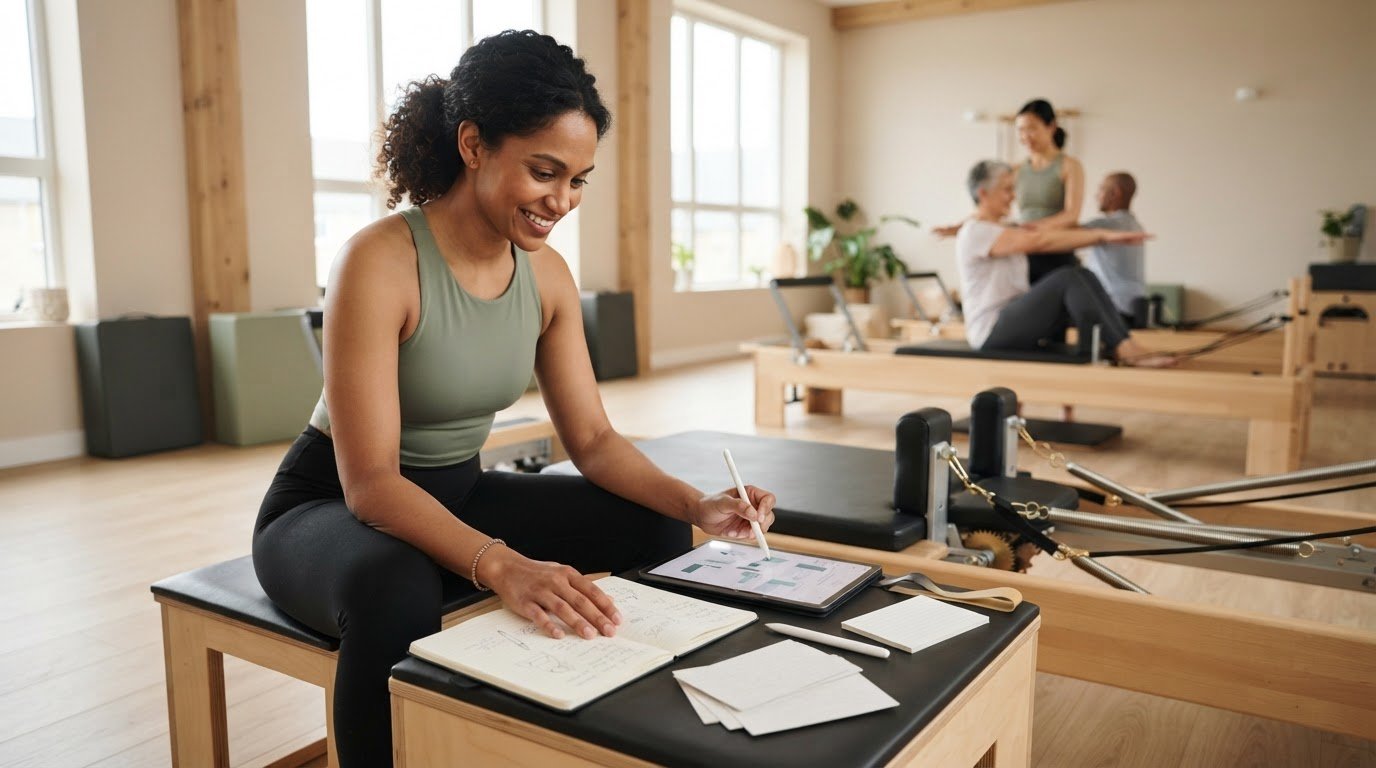
What if you could stop using notebooks for pilates plans without losing the personal touch in your teaching? Paper is familiar, flexible, and easy to jot in between classes. But when sequencing notes, exercise references, and spring settings are scattered across different pages, updating or reusing a plan can take more effort than it should.
You don’t need to abandon your teaching instincts to make preparation easier. A digital workflow can organise repeatable details while leaving you free to adapt each class to the people in front of you. ReformerFlow, for example, brings exercise videos, levels, and spring setup details together, with spring configurations personalised to your Reformer machine.
This guide compares paper and digital planning against the practical demands of teaching. You’ll see how to move useful notebook plans into a repeatable, adaptable system, keep machine setup references close at hand, and decide whether a hybrid approach suits you. The goal isn’t to let an app teach your class. It’s to spend less time searching for notes and more time making thoughtful choices in the room.
Key Takeaways
- Assess whether your planning workflow supports the way you teach before deciding whether to keep or replace paper.
- Look for extra checking during preparation or class caused by scattered sequence, cue, and spring notes.
- Compare notebooks and digital planning for capturing ideas, updating plans, finding references, and reusing sequences.
- If you want to stop using notebooks for pilates plans, start by transferring one familiar class and refining it as you teach.
- See whether ReformerFlow’s exercise videos, levels, and spring setup details fit the way you prepare and teach Reformer classes.
Table of Contents
- Stop Using Notebooks for Pilates Plans? Start With the Workflow, Not the Tool
- How Notebook-Based Pilates Plans Affect Preparation and Teaching
- Notebook vs Digital Pilates Plans: Which Fits Your Teaching Style?
- Moving Pilates Plans From Notebooks to Digital Workflows
- Use ReformerFlow to Plan Classes Without Losing Your Teaching Rhythm
Stop Using Notebooks for Pilates Plans? Start With the Workflow, Not the Tool
A notebook can be an excellent place to catch a class idea. You can sketch a sequence, jot a cue in the margin, or make a quick adjustment between sessions without opening an app. If paper is already part of your class-day routine, that ease matters.
The question isn’t whether notebooks are useful. It’s whether your workflow reliably carries an idea from first draft to teaching floor. A plan may include exercise order, transitions, cues, and Reformer spring settings. If those details are spread across pages or separate references, preparing a class can involve more searching and checking than the changes require. Your planning should support the choices you make as an instructor, not make them for you. For broader context on the Pilates method, see its history and principles.
What notebook planning does well, and where it starts to strain
Handwriting is fast and open-ended. You can capture an idea before it disappears, draw arrows between exercises, and annotate a plan in your own shorthand. That freedom is useful when you’re experimenting with sequence and flow.
Friction can build when you need to find a previous version, revise a sequence you’ve used before, or check a setup note stored elsewhere. One difficult search may be a minor inconvenience. Repeatedly recreating plans or wondering which notes are current points to a workflow problem.
Is it time to change your Pilates planning method?
Notice what happens during preparation. How often do you rebuild a class because you can’t locate the original? If you change a sequence, do you have to copy the revision across pages? Before class, can you quickly check the exercise cues and spring details you need?
If you’re considering whether to stop using notebooks for pilates plans, look for a recurring pain point, not a reason to digitise everything. A small test can show whether a different workflow helps without disrupting the parts of paper that still work.
- You regularly recreate plans you know you’ve already written.
- Revisions are hard to track or reuse.
- Exercise references and machine setup notes are kept in separate places.
- Finding the right plan before class takes extra checking.
If one or more of these feels familiar, test a change in that specific area. Keep using paper for quick brainstorming if it suits you, while trying a more organised way to store plans or reference details. A practical measure is whether you can find and update what you need, then stay focused on the class in front of you.
How Notebook-Based Pilates Plans Affect Preparation and Teaching
A class plan often starts with one idea: a movement focus, a sequence, or a transition you want to explore. You note possible exercises, add cues, and record spring settings. Later, you refine the order to suit the class and check the details again before teaching. Each step depends on being able to review the whole plan and find the references that support it.
A notebook can hold an excellent plan. The format doesn’t determine the quality of your sequencing, just as digital planning doesn’t automatically make a class thoughtful. Friction appears when key information sits in different places. The exercise order might be on one page, a transition reminder in the margin, and a spring note on a separate reference sheet. Before class, you may need to check each one to confirm that you’re using the intended version.
Where handwritten plans can create repeat work
For some instructors, a well-indexed notebook is easy to navigate. For others, finding a useful class means scanning old pages or remembering when it was written. Copying a sequence into a new plan can take time, and revisions made in more than one place can make it unclear which version is current. These aren’t inevitable problems with paper. They’re signs to watch for if planning repeatedly involves searching, rewriting, or reconciling notes.
A repeatable class-planning workflow is a consistent way to capture a sequence, keep its supporting cues and setup details with it, and revise it without losing track of the current plan. That workflow can be on paper, digital, or a combination. What matters is that the plan is easy for you to review and adapt.
Keep the instructor’s judgment at the centre
A planning tool can make preparation more organised, but it can’t read the room. You decide whether to adjust an exercise, change the pace, or alter a transition based on the people in front of you. A saved sequence is a useful reference, not a script that overrides your observation and expertise. The Reformer Pilates class design guide offers further direction on building class structure.
That distinction matters in any format. Discussion of technology and analytics in coaching considers how tools can shape a coach’s work. For Reformer instructors, the practical aim is to reduce avoidable admin without handing over teaching decisions. If you want to see whether a Reformer-specific planning app fits your process, explore the ReformerFlow app and compare its workflow with your own.
Notebook vs Digital Pilates Plans: Which Fits Your Teaching Style?
The right format depends on what you need at each stage of planning. Paper makes it easy to capture an idea freely. Digital plans can make it easier to retrieve and revise a sequence, and to keep structured references with a class. Neither format improves a sequence by itself. Use this comparison to identify where each fits your workflow.
Planning needNotebookDigital planCapture ideasQuick, tactile, and open-ended for sketches or shorthand.Useful for structured entries, though typing may interrupt free-form brainstorming.Edit a sequenceEasy to annotate, but substantial changes can crowd a page or require rewriting.Plans can be revised without recopying the whole sequence, depending on the tool.Search for a past classMay depend on labels, page markers, or remembering where you wrote it.Search and organisation features can help you retrieve saved plans.Reuse a sequenceCopying a useful plan by hand can take extra effort.A saved plan can provide a starting point for a new class or later revision.Check exercise referencesWorks well if cues and setup notes are already recorded together.A general notes app stores what you enter; a Reformer-specific app may also provide exercise and spring references.Access while teachingFamiliar and quick to glance at, though handwritten notes need to be legible.Can offer a clear digital reference, depending on the app’s teaching-day design.
When a notebook is still the right planning tool
If you enjoy tactile brainstorming and rarely need to find older plans, paper may still be your best fit. Handwritten notes also work well for quick ideas, personal reflections, or brief class-day annotations. There’s no need to make a complete switch simply because digital tools exist. Keep the notebook where it serves you, and consider changing only the parts that create repeated friction.
What to assess in a digital Reformer planning app
A general notes app can organise text, but it may not include Reformer-specific exercise information. Look for useful exercise references, a clear way to organise class sequences, and an interface that’s easy to consult while teaching. Check whether spring details can be personalised to your specific Reformer machine. ReformerFlow includes a curated library of more than 400 exercises with video, level, and spring setup details, plus personalised spring configurations.
Digital planning shouldn’t dictate your decisions. It should make information easier to consult while you remain responsible for adapting exercises, pacing, and transitions to the class. If you’re considering whether to stop using notebooks for pilates plans, you can keep paper for idea capture and use digital tools for retrieval and setup references. For a broader evaluation framework, see this ReformerFlow class planning app guide.
Moving Pilates Plans From Notebooks to Digital Workflows
You don’t need to digitise every page at once. Start with one familiar class, then move only the information you rely on to prepare and teach it. A small trial makes it easier to see whether the new format solves a real problem, without turning your entire archive into a migration project.
Choose and organise the first plans to transfer
Pick a class you teach regularly or one you often revise. Bring across the purpose of the class, exercise order, transitions, modifications, and cues that help you teach it well. Keep related setup details with the exercise they belong to, and check that any reference matches your Reformer. Leave outdated or rarely used plans aside until you know the new workflow is useful.
As you transfer the sequence, separate essential teaching notes from shorthand that made sense only in the moment. Preserve the reason behind a choice, such as why one exercise follows another or which cue helps a client find the movement. Review each exercise and setup detail rather than assuming an old note is complete or still right for the machine you’ll use.
Select a useful plan, organise its essential details, test it in your routine, then refine the workflow based on what you learn.
Test the new plan before relying on it in class
Review the digital plan before teaching, when you have time to check the sequence and equipment setup calmly. During class, notice whether you can scan the information without losing attention on clients. Afterward, record what was easy to find, what was missing, and which handwritten annotations you still wanted. That feedback tells you what to adjust before transferring another plan.
Compare the test with your actual preparation routine. Did you locate the class quickly? Could you check the exercise and spring details without jumping between references? Were your cues and transitions clear enough to support your teaching, while still leaving room to adapt? If the process adds steps or distracts you, refine it or keep that part on paper. The aim is a dependable reference, not a rigid script.
If you’re weighing whether to stop using notebooks for pilates plans, treat the first transfer as an experiment. ReformerFlow is a Reformer-specific planning app with exercise references and machine-personalised spring configurations. Its 14-day free trial gives you a set period to assess whether that kind of digital workflow fits your preparation and teaching routine.
Explore the app and try a digital planning workflow## Use ReformerFlow to Plan Classes Without Losing Your Teaching Rhythm
If you’re ready to try digital planning, choose a tool designed for the equipment and decisions involved in Reformer Pilates. ReformerFlow is a mobile planning app for Reformer instructors, not a general-purpose notes app. It brings class planning together with a curated library of more than 400 exercises, each with video, level, and spring setup details. The app is designed to help instructors build a class in about five minutes.
Plan with Reformer-specific exercise and setup references
Use the library as a reference while shaping a class sequence. Exercise information can sit alongside your planning, so you can review movement details and setup as you organise the session. Spring configurations are personalised to your specific Reformer machine, helping keep those references relevant to the equipment you teach on. A glanceable teaching mode gives you a way to consult your plan while instructing.
These features support preparation; they don’t make teaching decisions for you. You still choose the sequence, adjust pacing, and respond to the clients in front of you. ReformerFlow is planning software for Reformer Pilates instructors. It isn’t instructor certification or physical Reformer equipment.
Try the workflow before committing to a new routine
ReformerFlow is available for iPhone, iPad, and Android, with a 14-day free trial. Use the trial to plan one familiar class, review the exercise and spring references before teaching, then assess how the app fits your actual routine. Is the sequence easy to revisit? Can you consult the details you need without losing your teaching rhythm? Trying it with a real class will tell you more than transferring a whole notebook at once.
There’s no need to discard the notes that still serve you. The aim is to make recurring plans and Reformer-specific references easier to work with, while keeping your judgment at the centre of every class. If you’re weighing whether to stop using notebooks for pilates plans, a focused trial lets you explore a digital workflow without treating it as an all-or-nothing change.
Try ReformerFlow and plan your next class## Build a Planning Workflow That Leaves Room to Teach
You don’t have to choose between a familiar notebook and a fully digital routine. Keep paper for quick ideas if it works for you, and move plans into a digital workflow when finding, updating, or checking details becomes a recurring task. The goal is organised preparation, not a script. Your judgment still guides sequencing, pacing, and adjustments for each class.
For instructors ready to test a Reformer-specific option, ReformerFlow brings a curated library of more than 400 exercises together with video, level, and spring setup details. Spring configurations are personalised to your Reformer machine, and glanceable teaching mode lets you consult your plan while instructing. If you’re considering whether to stop using notebooks for pilates plans, try one familiar class and decide based on how the workflow fits your real teaching routine.
The app is available on iPhone, iPad, and Android, with a 14-day free trial.
Try ReformerFlow and build your next Reformer class planTake the transition one class at a time. Keep what supports your teaching, refine what creates friction, and trust your expertise to shape every session.
Frequently Asked Questions
Should Pilates instructors stop using notebooks for class plans?
Not necessarily. Keep using a notebook if handwritten notes are easy to capture, find, and revise. Consider another workflow if you regularly recreate plans, search through pages, or keep exercise cues and spring details in separate places. You can stop using notebooks for pilates plans completely, or keep paper for brainstorming and use a digital tool to organise repeatable class plans. Choose based on the friction you actually experience.
Is a digital app better than a notebook for Reformer Pilates planning?
It depends on how you plan and teach. A notebook can be useful for quick sketches, shorthand, and free-form ideas. A digital app may make it easier to retrieve and update saved classes. For Reformer planning, check whether the app includes relevant exercise references and spring setup information, not just blank notes. A hybrid workflow can also work: paper for initial ideas, digital plans for organised references.
How do I transfer handwritten Pilates plans to a digital app?
Start with one class you teach often or revise regularly, rather than transferring your whole notebook. Record its purpose, exercise order, transitions, modifications, and useful teaching cues. Keep setup details with the relevant exercises, then verify that the references suit your Reformer. Review the digital version before teaching, and note what’s missing or harder to use. Refine that plan before deciding whether to transfer more.
Can digital Pilates plans still be customised for each class?
Yes. A saved plan can be a starting point, not a fixed script. Review the sequence and adapt exercise selection, pacing, transitions, and cues to the clients in front of you. You can also retain notes about the intent behind a sequence while changing details for a particular session. Digital organisation supports access to your plan; your observation and teaching judgment still shape the class.
What should a Reformer Pilates planning app include?
Look for a way to organise class sequences, relevant exercise references, and clear access to plans during teaching. For Reformer work, check that exercise entries include useful setup information and that spring configurations can be personalised to your machine. ReformerFlow includes a curated library of more than 400 Reformer exercises with video, level, and spring setup details, alongside machine-personalised spring configurations and a glanceable teaching mode.
Does ReformerFlow replace a Pilates instructor’s judgment?
No. ReformerFlow is a planning app for Reformer Pilates instructors, not a substitute for their expertise. Its exercise references, spring setup details, and glanceable teaching mode can support preparation and provide information to consult. You remain responsible for choosing and adapting the sequence, responding to clients, and deciding how to cue or pace a class. Treat the plan as a reference that leaves room for professional judgment.
Can I try ReformerFlow before deciding whether to switch from notebooks?
Yes. ReformerFlow offers a 14-day free trial and is available for iPhone, iPad, and Android. Try planning one familiar class, then review the plan ahead of teaching and see how it fits your routine in class. Notice whether the references are easy to find and whether the workflow suits your preparation. You can assess the app before deciding whether to change how you manage notebook plans.