
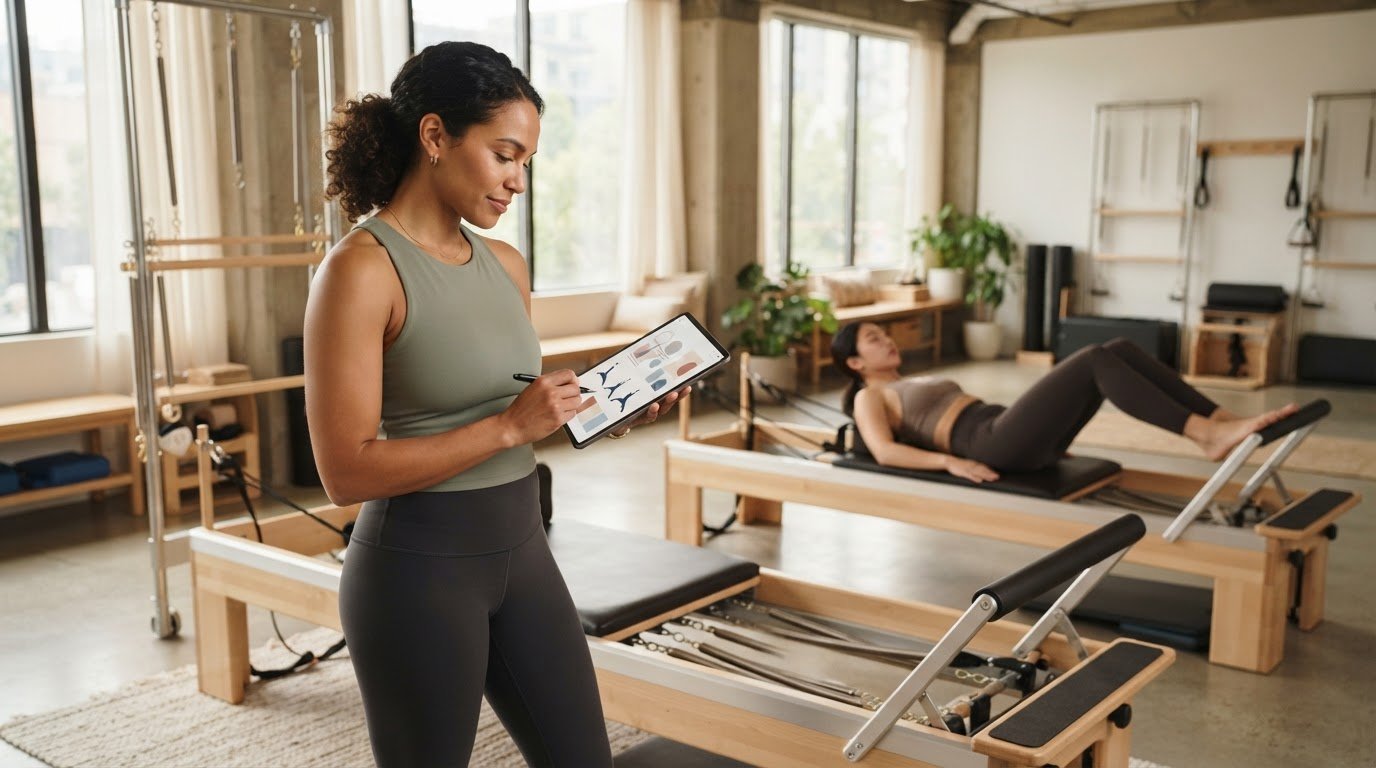
What if clients’ reasons to return begin before class, with a plan that feels purposeful, consistent, and responsive to their needs? A pilates class programming app can help instructors spend less time piecing sessions together and more time making considered choices on the Reformer.
Preparing classes takes focus, especially when clients have different experience levels, goals, and movement needs. A clear structure can help you build coherent progressions from session to session while leaving room to adapt in the moment. It can support a dependable client experience, though no app can guarantee retention or business growth.
This guide explains what to look for in a Pilates class planning tool and how to choose a workflow that fits your teaching practice. You’ll learn how an exercise library, useful movement and spring references, and an easy-to-check teaching view can reduce planning friction without taking control away from you. We’ll also compare instructor-focused programming apps with consumer workout apps and studio management software, so you can identify the kind of support your work needs.
Key Takeaways
- Separate client acquisition from the class experience: a planning app can support thoughtful teaching, but it isn’t a marketing tool or a guarantee of return visits.
- Use a repeatable planning sequence: set the session goal, choose exercises, review progression, confirm setup, and prepare cues.
- Choose a pilates class programming app by how well it fits your teaching workflow, including exercise relevance, setup references, class organization, readability, and device access.
- Keep your attention on clients during class. Use digital references as prompts, then adapt your instruction based on what you observe.
- Assess whether ReformerFlow by Ginty’s library of over 400 exercises and its video, level, and spring-setup details suit your planning needs.
Table of Contents
- What a Pilates Class Programming App Can, and Cannot, Do for Client Growth
- Build More Consistent Pilates Classes with a Programming App
- Compare Pilates Class Programming Apps by Teaching Fit, Not Feature Count
- Use a Pilates Programming App Without Losing Your Teaching Presence
- Try ReformerFlow as a Pilates Class Programming App
What a Pilates Class Programming App Can, and Cannot, Do for Client Growth
A Pilates class programming app helps you select, organize, and reference exercises. Use it to shape a session before clients arrive and keep your plan accessible while you teach. It doesn’t find clients, manage outreach, or replace your judgment. Its role is more focused: helping you prepare with greater clarity so you can direct your attention to the people in front of you.
That distinction matters because client growth involves more than the class itself. Visibility helps prospective clients discover your services, and clear scheduling makes it easier to book. Welcoming service and thoughtful follow-up also shape the broader experience. Programming supports one part of that relationship: the quality and coherence of the session. For a wider look at tools instructors may use in their work, see this professional Reformer Pilates instructor tools guide.
How class programming contributes to a client experience
A purposeful structure gives a session direction. Clients can settle into the work when exercises feel connected, transitions make sense, and progressions reflect the session’s aim. For example, you might plan a sequence that moves from foundational work toward a more demanding variation, with alternatives ready for different needs.
That continuity can make the experience feel considered and help clients understand how their practice is developing. But a plan is only a framework. Teaching skill, observation, clear cueing, and responsive adjustments determine how that framework works in the room. Programming alone can’t ensure that clients return or recommend your classes.
The Pilates method provides the broader context for the movement practice. Within that tradition, your choices still need to suit the session, the equipment, and the people you’re teaching.
Where an app fits in a Pilates growth strategy
Think of a planning tool as preparation support, not a growth engine. It can reduce the effort of finding and arranging exercise ideas, while you decide what belongs in the class and how to adapt it. The same plan won’t suit every group. A useful app should make thoughtful choices easier, not dictate them.
- Visibility: Make your classes and teaching approach discoverable through appropriate channels.
- Access: Keep scheduling clear so clients can understand how to attend.
- Experience: Prepare a coherent session, welcome clients, and teach responsively.
- Follow-up: Stay attentive to client questions and communication after class.
Evaluate a pilates class programming app against your actual preparation and teaching workflow. Does it help you organize ideas without narrowing your options? Can you check the plan without losing awareness of the room? A good fit should lighten the planning load while leaving teaching, client care, and growth decisions in your hands.
Build More Consistent Pilates Classes with a Programming App
A repeatable planning sequence gives each class a clear purpose without making every session identical. Start with the group and the session goal. Select exercises, check their progression, confirm equipment setup, and prepare the cues you want to emphasize. A well-planned class is purposeful, teachable, and appropriate to the people attending.
Start with the class goal and the clients in front of you
Before opening an exercise library or writing a sequence, take stock. Who is attending? What experience levels and relevant needs should shape your choices? What do you want the session to focus on? A clear goal narrows the options and helps you choose exercises that work together, rather than building a class from a list of appealing movements.
Then leave room to adapt. A plan offers direction, but your judgment matters on the day. If a client needs a different variation or the group responds differently than expected, adjust the sequence. Consistency comes from a thoughtful framework, not an inflexible routine.
Use exercise references to shape the sequence
An exercise library can help you explore options and assemble a considered sequence. Look for references that help you judge whether a movement suits the class goal and fits logically with what comes before and after it. Video and level details can provide a visual reminder and a useful point of reference during preparation. They don’t replace your training, movement knowledge, or observation of clients.
Once you have a draft, review the transitions and progression. Ask whether the sequence moves at a teachable pace, whether you have alternatives in mind, and whether equipment settings are clear before class. For more detailed sequencing guidance, read this guide to sequencing a Reformer Pilates class.
- Define: Note the session goal and the group’s experience and needs.
- Select: Choose exercises that serve that goal.
- Review: Check progression, transitions, and possible adaptations.
- Confirm: Verify setup details and prepare concise cues.
A pilates class programming app should support this process, not make decisions for you. ReformerFlow, for example, has a curated library of over 400 exercises with video, level, and spring-setup details. Use those references to inform your choices while retaining control of the final class. To see whether a dedicated planning tool suits your workflow, explore the ReformerFlow app.
Compare Pilates Class Programming Apps by Teaching Fit, Not Feature Count
Compare tools by how well they fit your teaching workflow, not by the length of their feature lists. Consider how you plan, which references you need, and whether you can consult your sequence without losing connection with clients. The right planning tool supports preparation and remains usable while you teach.
Planning approachExercise relevanceSetup referencesClass organizationLive-use readabilityDevice availabilityManual notesDepends on what you recordCan be added by the instructorFlexible, but organization is self-managedDepends on layout and handwritingPaper or your chosen note-taking deviceGeneral planning toolsMay require you to build or adapt exercise referencesUsually depends on your own notes or resourcesCan help organize plans, depending on the toolCheck how easily you can scan a sessionVaries by toolPilates-specific programming appsLook for a library relevant to your apparatus and teachingCheck for exercise-level and setup detailsAssess how clearly you can arrange a classLook for a concise, glanceable class viewVerify support for your devices
Which features matter for Reformer Pilates instructors?
Start with exercise relevance. A library designed for Reformer teaching can make it easier to find suitable options. Video, level, and spring details give you useful context as you prepare. Check whether spring configurations can be personalized to your specific machine. Then assess the class view: can you quickly scan the next exercise and its key references without diverting attention from clients?
More features don’t automatically make a better fit. Choose a tool that supports your method without adding steps or clutter.
Questions to ask before choosing a programming app
- Does it support the devices you plan to use? Confirm current availability rather than assuming your phone or tablet is compatible.
- Can you organize a class in a way that matches your preparation process and is easy to reference while teaching?
- Is a trial available? Review its current duration and terms before deciding whether the app suits your workflow.
For a focused evaluation, see this 2026 class planning app guide. ReformerFlow is available for iPhone, iPad, and Android and includes a 14-day free trial. Check current availability and trial terms before use. Compare tools against your own teaching day. The right pilates class programming app should make preparation clearer and class references easier to use, while keeping your attention on your clients.
Use a Pilates Programming App Without Losing Your Teaching Presence
A digital plan should make class easier to guide, not compete for your attention. Prepare the details in advance, then use the app as a brief reference when needed. The aim is to spend less time searching through notes and more time observing, cueing, and responding to clients.
Prepare the plan before clients arrive
Before class, review the session goal and sequence from beginning to end. Check the exercise references you’ll need, including setup details, and make sure you’re comfortable teaching each movement. If an exercise is unfamiliar, review it before the session rather than trying to learn it while clients are waiting.
Confirm relevant Reformer settings ahead of time. Spring choices depend on the movement, machine, and teaching context, so consult your established approach and the equipment information available to you. For more detailed setup considerations, see this guide to Reformer machine spring setup.
Keep the plan clear but flexible. A sequence can give you a reliable route through class while leaving space to change an exercise, adjust the pace, or offer an appropriate alternative for the group.
Keep the client, not the screen, at the centre
During class, use the app as a prompt rather than a script. A glanceable view can help you check the next exercise or setup reference without scrolling through long notes. Look briefly, then return your attention to the room. Verbal instruction, demonstrations, and observation remain central to the teaching experience.
Pay attention to how clients are moving and responding. If someone appears uncertain or a planned progression doesn’t suit the group, adapt it. A screen can’t assess comfort or make professional decisions for you. A pilates class programming app is most useful when it reduces interruptions from searching for information while keeping your judgment in charge.
- Before class: Review the goal, sequence, exercise references, and relevant setup.
- During class: Check the plan briefly, then focus on clients and cue clearly.
- As you teach: Adjust the plan to the group and the session context.
ReformerFlow includes a glanceable teaching mode designed to support in-class reference. Consider whether that kind of view suits your teaching habits and helps you stay present.
Explore the ReformerFlow app## Try ReformerFlow as a Pilates Class Programming App
Once you know what you need from a planning tool, assess it against your actual teaching routine. ReformerFlow is a mobile app for Reformer Pilates instructors, designed to help organize exercise choices and reference a class plan. Its role is practical: support preparation and in-class reference while leaving the final decisions with you.
How ReformerFlow supports planning and teaching
The curated library includes over 400 Reformer exercises, with video, level, and spring-setup details. Use these references to explore options, build a class sequence, and review the movements you plan to teach. They’re planning aids, not a substitute for your movement knowledge or assessment of the clients in front of you.
Spring configurations can be personalized to your Reformer, so the displayed setup details can reflect the machine you teach on. During class, a glanceable teaching mode offers a concise reference to your plan. Use it to check a detail when needed, then return your attention to cueing and observing clients. The app supports your workflow; it doesn’t determine the right adaptation for a particular person or group.
Take a low-pressure next step
ReformerFlow is available for iPhone, iPad, and Android. Availability and features can change, so confirm current details for your device before getting started. The 14-day free trial gives you an opportunity to assess whether the library, setup references, and teaching view fit the way you prepare and teach. Review the current trial conditions and subscription terms before signing up.
During the trial, plan a class you’re already comfortable teaching. Notice whether the references make preparation clearer, whether the setup details match your Reformer, and whether the live view is easy to consult without pulling focus from clients. That will tell you more about fit than a feature list alone.
If a pilates class programming app would make your preparation more organized, consider whether ReformerFlow’s workflow suits your practice. The teaching choices remain yours.
Try ReformerFlow for your class planning## Make Your Class Planning More Intentional
A thoughtful plan gives each class direction, while your teaching judgment keeps it responsive to the clients in front of you. Choose a pilates class programming app for how well it supports preparation and in-class use, not simply for its number of features. The right tool can help you organize exercise choices and consult useful references without taking your attention away from teaching.
ReformerFlow offers a curated library of over 400 Reformer exercises, personalized spring configurations, and a glanceable teaching mode. It’s available on iPhone, iPad, and Android, with a 14-day free trial. Review current availability and trial terms, then assess whether it fits the way you plan and teach.
Build a clear plan, stay attentive to your clients, and keep refining your approach. To see whether ReformerFlow fits your class-planning workflow, try the app with its 14-day free trial.
Frequently Asked Questions
Can a Pilates class programming app help me grow my client base?
It can support class preparation, which may contribute to a positive and consistent client experience, but it can’t guarantee new bookings or retention. Growth also depends on factors such as visibility, scheduling, service, and follow-up. Treat an app as one part of your teaching workflow, not a substitute for outreach or client care. An organized plan can help you teach with greater clarity, while your wider business strategy brings clients through the door.
What should a Pilates class programming app include?
A useful pilates class programming app should suit the classes you teach and make exercise planning straightforward. Look for a relevant exercise library, clear movement references, and a practical way to organize a sequence. Reformer instructors may also find machine-specific spring details and an easy-to-scan class view helpful. Before choosing, check usability on your preferred devices, current availability, and any trial or subscription terms. More features aren’t necessarily better if they add friction to your workflow.
How do I program a Reformer Pilates class?
Start with the session goal and the clients attending. Select exercises that support the aim, then review their order for clear progression and practical transitions. Confirm relevant Reformer setup details and prepare your cues before class. Leave room to adjust based on client needs and your professional judgment. An app can help organize exercise references and sequence ideas, but you decide what’s appropriate and how to teach it to the group.
Can an app replace a Pilates instructor’s experience?
No. A programming app can organize exercise references and class plans, but it can’t replace instructor training, observation, communication, or judgment. You still need to select appropriate exercises, notice how clients respond, and adapt instruction to the people in the room. Use digital tools to reduce planning friction and keep useful details accessible. They should support your decisions, not make professional decisions for you or take the place of direct client interaction.
How can I make my Pilates classes more consistent?
Use the same preparation framework each time: define the class aim, plan a suitable sequence, check the relevant equipment setup, and review your plan before clients arrive. Consistency comes from a dependable process, not from repeating an identical class. Stay ready to adjust the pace, exercise choices, or cues for the group. A clear plan can make preparation more organized while allowing each session to reflect participants’ needs and experience.
Is ReformerFlow available on iPhone and Android?
ReformerFlow is available for iPhone, iPad, and Android through the App Store and Google Play. App listings and device compatibility can change, so check the current listing for your device before downloading. ReformerFlow also offers a 14-day free trial. Review the current trial conditions and subscription terms in the app or store before starting, so you understand what applies to your account.
Does ReformerFlow provide Pilates instructor certification or Reformer equipment?
No. ReformerFlow is a mobile class-planning app for Reformer Pilates instructors. It doesn’t provide live instructor certification or sell physical Reformer equipment. Its features include a library of over 400 Reformer exercises with video, level, and spring-setup details, personalized spring configurations, and a glanceable teaching mode. Instructors use their own professional training and the equipment available to them when planning and teaching classes.