
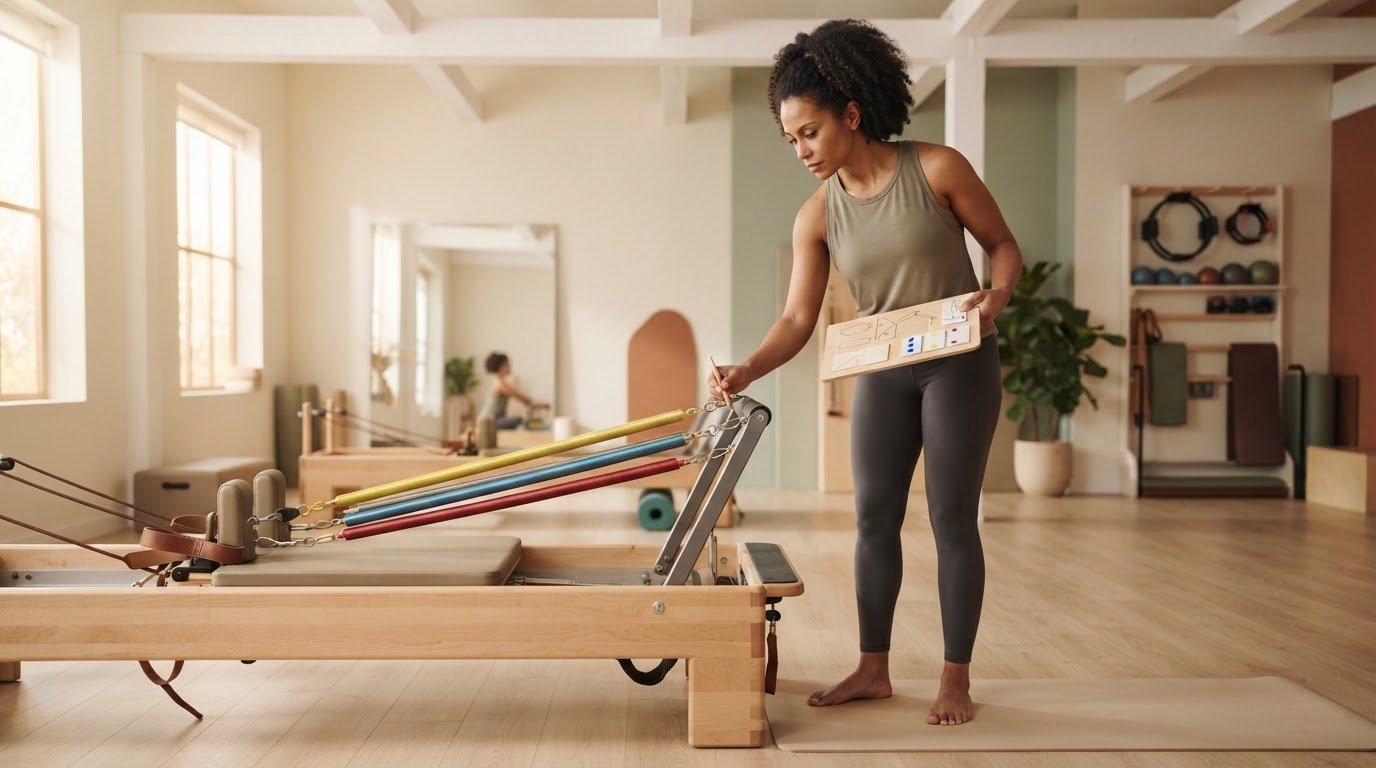
What if the best place to start planning a Reformer class isn’t with the exercise sequence, but with the machine itself? Spring colours and resistance conventions vary, so a familiar movement or transition may need adjusting. Knowing how to plan a class for a specific reformer starts with checking what that machine can do, before you’re making equipment decisions under pressure just before class.
A well-sequenced class needs more than a list of exercises. Spring choices, equipment setup, client needs, and transitions all need to work together. This guide walks you through building a teachable plan around the Reformer’s actual setup and movement options, with clear notes for spring changes and adjustments.
Start by checking the machine, then match exercises to its capabilities and rehearse the transitions. A curated exercise library with machine-personalized spring details, such as ReformerFlow by Ginty’s collection of over 400 exercises, can support your preparation. Your experience and judgment still lead the class.
Key Takeaways
- Learn how to plan a class for a specific reformer by checking its adjustments, accessories, springs, and available movement space before choosing exercises.
- Compare each exercise’s carriage, footbar, strap, and accessory requirements with the machine you’ll be teaching on.
- Use a compact exercise-by-exercise comparison to catch setup mismatches and simplify transitions.
- Build a reusable planning checklist that accounts for client needs, class intention, spring references, and rehearsal notes.
- Use machine-personalized spring details and exercise guidance in ReformerFlow as planning support, while making final decisions with your professional judgment.
Table of Contents
- Start with the Specific Reformer: What to Check Before Planning
- Match Exercises and Spring Choices to the Reformer in Front of You
- Keep the Class Cohesive When the Reformer Changes
- Use a Machine-Specific Reformer Class Planning Checklist
- Make Machine-Specific Planning Easier with ReformerFlow
How to plan a class for a specific reformer
Work in a clear order: check the machine, choose exercises that fit, document the machine’s spring references, and map the transitions. This helps you preserve the class intention while adapting its practical details to the equipment in front of you.
Start with the Specific Reformer: What to Check Before Planning
A familiar exercise can feel different on an unfamiliar Reformer. The carriage may travel differently, the footbar may adjust in another way, or a spring setting may not mean what you expect. Before building the sequence, do a quick machine audit. Check the adjustments, accessories, springs, and space around the machine. This gives you a reliable equipment profile to plan against instead of relying on memory or assumptions.
Machine-aware planning means adapting exercise, spring, and transition choices to the equipment actually present. That’s the practical starting point for how to plan a class for a specific reformer. Machine names and designs have evolved from the equipment associated with Joseph Pilates. For context, see this overview of the history of the Pilates method. A familiar model name or spring colour is no substitute for checking the machine in front of you.
Build a quick equipment profile for the studio Reformer
Record the manufacturer and model if they’re available. Then note what you can confirm directly: carriage movement, footbar positions, strap adjustments, spring attachment points, and any labels or documented resistance conventions. Check which accessories are present, too. If an exercise needs a box or another accessory, confirm it’s available and fits the intended setup. Also check whether there’s enough clear space around the machine for the planned movement and transitions.
A short written profile is especially useful when you teach on different machines or return to a studio after time away. Keep observations factual. For example, record the spring labels and the studio’s documented meaning rather than translating them into a convention from another Reformer.
Separate machine facts from assumptions
If an adjustment or spring convention is unfamiliar, ask the studio or consult the equipment documentation before planning around it. Spring colours and labels aren’t universal across Reformers, so don’t assume the same colour represents the same resistance. Confirm the local reference and use it consistently in your notes.
Flag any exercise that depends on an unverified feature, such as a particular footbar position, strap length, or range of carriage travel. Then you can confirm the setup, adapt the exercise, or choose another option before class. That check protects the flow of your plan and leaves you more attention for teaching.
Match Exercises and Spring Choices to the Reformer in Front of You
With the equipment profile in hand, compare each planned movement with what the Reformer can support. Confirm the movement options, select exercises, check each setup, and then test the transitions. This keeps the sequence grounded in the machine rather than forcing the equipment to fit a prewritten class.
For each exercise, check the carriage position and range, required footbar setting, strap length, and any accessory. A movement that relies on a particular strap position may need adjusting or replacing if the straps don’t reach or the adjustment is unfamiliar. Then look ahead to the next exercise: will the transition require a spring change, accessory, or repositioning you haven’t accounted for?
Screen each exercise for machine compatibility
Match the setup to the equipment profile before adding an exercise to the final sequence. If an essential position or accessory isn’t available, choose another exercise rather than improvising under time pressure. Any modification should suit the clients in front of you and remain within your training and scope. For additional context on repertoire, sequencing, cueing, and spring selection, see ACE Pilates Reformer Training.
Record spring setups without assuming colour equivalence
Choose springs in relation to the exercise, the specific machine, the client, and your professional judgment. Record the studio’s confirmed spring labels or another clear local reference, and check that convention on each machine. Spring colours alone don’t establish equivalent resistance across different Reformers. A colour copied from another model may not communicate the intended setup. Write down what the label means locally instead of relying on colour alone.
Keep the plan easy to scan: note the exercise, confirmed spring reference, required adjustments or accessories, and transition into the next movement. If you teach on a machine with unfamiliar spring conventions, verify them before finalizing the plan. The Reformer machine and spring setup reference offers more detail on documenting spring choices. Instructors who want machine-specific spring configurations alongside exercise information can also explore ReformerFlow’s planning app as a practical planning aid. Keep final selections grounded in your own assessment.
Keep the Class Cohesive When the Reformer Changes
A machine mismatch doesn’t have to derail the class. Compare your plan with the Reformer available, exercise by exercise, and decide what to keep, adapt, or replace. Planning for a specific reformer means preserving the class’s purpose while adjusting its practical details, not swapping in any movement that happens to fit.
Use a compact check beside your sequence:
- Exercise: Does the machine support the required position and movement?
- Setup: Are the spring, footbar, straps, and accessories available?
- Transition: What needs to change before the next exercise?
- Decision: Keep it, adapt it, or choose an alternative?
Marking each exercise this way helps you spot clusters of setup changes before class. For broader sequencing principles, see this guide to sequencing a Reformer Pilates class.
Choose alternatives that preserve the class intention
Before replacing an exercise, identify its role. Is it developing coordination, challenging balance, or supporting a particular movement pattern? Choose an alternative that serves a similar purpose and fits the Reformer. Then check how it affects the progression. A substitute may change the position, coordination demand, or level of challenge, so treat it as a considered variation, not an identical replacement. Make sure it suits the clients and the class objective.
Plan transitions around actual adjustments
Map changes in spring, footbar, straps, and body position between exercises. If two compatible movements can use the same setup, grouping them may reduce interruptions. Don’t preserve a setup at the expense of a sound exercise choice or clear progression. Note any accessory change or repositioning in the plan so you can prepare for it instead of discovering it mid-class.
Planned setup changes make transitions part of the class flow, rather than a pause to solve an equipment problem. A quick rehearsal can reveal when an adjustment feels awkward or creates unnecessary backtracking. Rearrange the order where it supports the class intention, and keep the sequence clear enough to teach without last-minute improvisation.
Use a Machine-Specific Reformer Class Planning Checklist
A repeatable checklist turns equipment checks into a clear planning workflow. It helps you prepare for an unfamiliar Reformer without rebuilding your process from scratch. Use it to track what’s confirmed, what still needs checking, and what you’ll want visible while teaching. For broader decisions about class structure and purpose, see this guide to Reformer Pilates class design.
Prepare the plan before entering the teaching space
Start with client needs and class intention, then confirm the machine profile. Mark unfamiliar settings for follow-up rather than guessing. Select exercises and alternatives that fit both the available equipment and the intended progression. Record spring references using the studio’s confirmed labels, and note any required footbar, strap, or accessory adjustments in terms that make sense on that machine.
- Clients and intention: What needs, experience levels, or movement goals should shape the session?
- Equipment: Which adjustments and accessories are available, and what remains unverified?
- Exercise fit: Does each movement match the machine’s setup and the class progression?
- Spring reference: Are settings written using the machine’s confirmed convention?
- Transitions: What changes between exercises, and in what order?
These prompts make how to plan a class for a specific reformer easier to repeat. They also reveal gaps early, while there’s still time to confirm a setting or choose an appropriate alternative.
Rehearse and refine the teaching notes
Before teaching on an unfamiliar model, walk through the sequence physically if possible. Otherwise, do a focused mental walkthrough: picture each adjustment, spring change, accessory, and transition. Notice where a setup might need explanation or where the plan asks you to move back and forth unnecessarily. Revise the order or notes while keeping the class objective intact.
Keep teaching notes concise enough to scan. A spring reference, adjustment reminder, and cue for a complex transition are usually more useful than a dense paragraph. After class, record anything that behaved differently than expected. That observation becomes a verified note for next time, not an assumption carried forward. Consistent documentation can make preparation faster while leaving your professional judgment central.
Explore the ReformerFlow app## Make Machine-Specific Planning Easier with ReformerFlow
Once you know what the machine requires, keep exercise information, spring references, and teaching notes together. A planning app can reduce preparation friction. ReformerFlow is designed for Reformer Pilates instructors, with machine-specific spring configurations and exercise details to support your decisions as you build a class.
The app doesn’t decide whether an exercise suits a particular client or replace your assessment of the equipment. You remain responsible for confirming compatibility, making appropriate adaptations, and choosing how to teach each movement. Think of it as a prepared reference, not a substitute for professional judgment. Useful information should make decisions clearer, not make them for you.
Use the exercise library to build a machine-aware plan
ReformerFlow’s library includes over 400 exercises with video, level, and spring-setup details. Use video to review a movement and its setup before class. Level information can also help as you consider candidate exercises for the intended progression. Assess each option against the machine profile and client needs, as you would with any planning resource.
Instructors can personalize spring configurations to their specific Reformer, keeping spring references relevant to the machine they teach on. This can make a prepared plan easier to consult than notes based on another studio’s conventions. Glanceable teaching mode provides access to the plan while instructing, so key exercise information is easy to reference without treating the app’s guidance as an automatic prescription.
Try the workflow on your own device
ReformerFlow is available for iPhone, iPad, and Android, with a 14-day free trial. Explore how its exercise information, personalized spring configurations, and teaching mode fit into your planning routine. Start by assessing your Reformer and deciding which details you need close at hand, then see whether the app supports that workflow.
Try ReformerFlow for your next class plan## Plan Your Next Class with Confidence
A coherent Reformer class starts with the machine, not a familiar sequence. Confirm its adjustments, accessories, and spring references, then choose exercises that fit the equipment and your clients. If you adapt a movement, preserve its purpose and check how the change affects progression and transitions.
ReformerFlow can keep useful planning details close at hand. Its library includes over 400 curated exercises with video, level, and spring-setup details, plus spring configurations personalized to your specific Reformer. Glanceable teaching mode supports quick reference during class, while your professional judgment guides exercise suitability, adaptations, and teaching decisions. The app is available for iPhone, iPad, and Android.
Prepare a machine-aware plan in advance so you can spend less time resolving setup questions and more attention on teaching. Put the approach to work in your next class.
Try ReformerFlow for your next class planEach machine may call for a different plan. Keep your preparation clear, deliberate, and grounded in what’s actually in the studio.
Frequently Asked Questions
How do I plan a Reformer class for a machine I have not used before?
Start by identifying the machine model, then check its carriage and footbar adjustments, straps, spring attachment points, labels, and available accessories. Confirm local spring conventions with the studio or equipment documentation instead of relying on colours you know. Next, select exercises the machine supports, flag uncertain setups, and choose alternatives. Walk through the transitions before class so you can resolve unclear adjustments before clients arrive.
Do Reformer spring colours mean the same thing on every machine?
No. Spring colours and resistance conventions can differ across manufacturers and models, so the same colour doesn’t guarantee equivalent resistance. Check the Reformer’s labels, studio guidance, or manufacturer documentation, and record settings using that machine’s local reference. Then use your professional judgment to assess whether the setup suits the exercise, client, and intended movement. If a label is unclear, ask before planning around it.
How do I choose spring settings for a specific Reformer?
First confirm how the studio labels that machine’s springs and what each setting means. Choose resistance in relation to the exercise, the client, and the intended movement, drawing on your training rather than copying a colour reference from another model. If the setup is unfamiliar, check with the studio or consult equipment documentation. Before teaching, verify the selected configuration on the actual Reformer and adjust your plan if needed.
Can I use the same Reformer class plan on different machines?
You can often keep the class intention and broad progression, but don’t assume every exercise transfers unchanged. Check its spring reference, adjustments, movement options, and accessory needs against the machine you’ll use. Replace movements that depend on unavailable or unclear features, then review the transitions for extra setup changes. Knowing how to plan a class for a specific reformer means treating the plan as adaptable, not as a fixed set of machine-independent instructions.
What should I check before teaching on an unfamiliar Reformer?
Confirm the model if possible, then check spring labels and attachment points, carriage and footbar adjustments, straps, accessories, and space for the planned movements. Ask the studio about conventions or adjustments you can’t verify. Compare each exercise’s setup with the machine, identify an appropriate alternative for any mismatch, and rehearse the sequence. Don’t assume a setting, spring colour, or range of movement matches what you’ve used on another Reformer.
How can I make Reformer class transitions work on a different machine?
Map each planned change in spring, footbar, straps, accessories, and body position. Group exercises that can share a setup when doing so supports the class’s purpose and progression. If a transition becomes awkward on the available machine, choose a suitable alternative or plan a clear pause for the adjustment. A quick physical or mental walkthrough can reveal extra repositioning and setup steps before clients are in the room.
Can ReformerFlow show spring settings for my specific Reformer?
Yes. ReformerFlow lets instructors personalize spring configurations to their specific Reformer. Its library includes over 400 exercises with video, level, and spring-setup details, and glanceable teaching mode supports consulting a prepared plan during class. Use those details as planning references, not automatic prescriptions. You’re still responsible for checking the machine, assessing client needs, selecting suitable adaptations, and making teaching decisions. ReformerFlow is available for iPhone, iPad, and Android.