
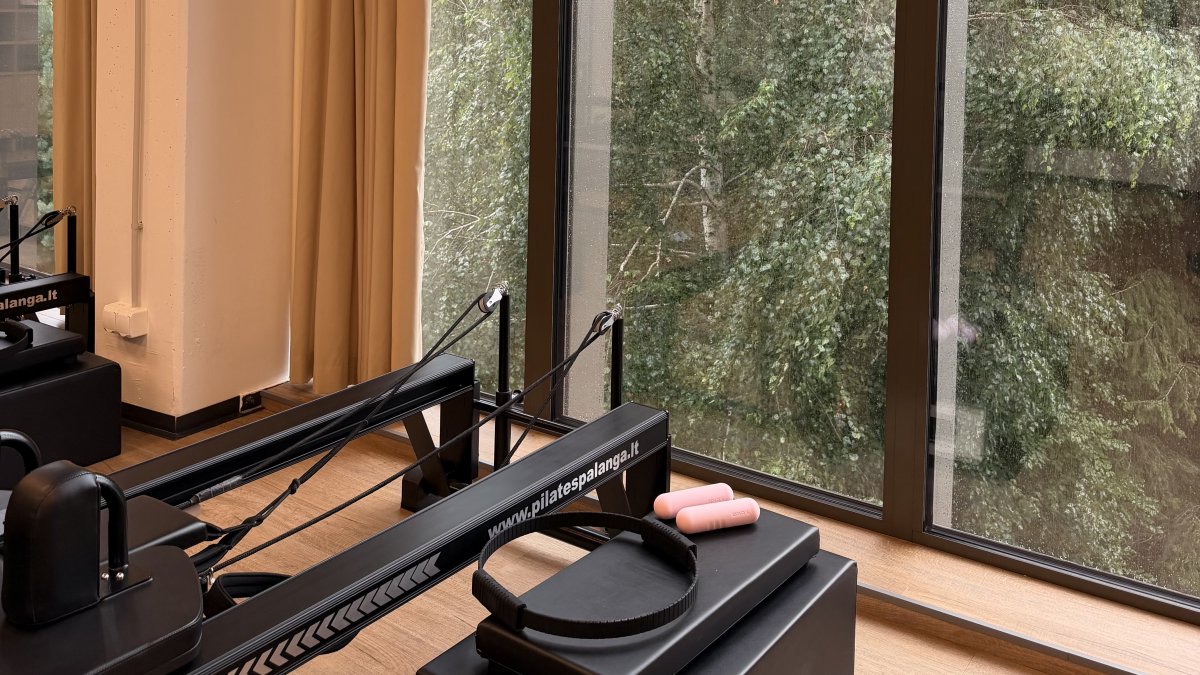
You finish your final class of the day, but instead of heading home, you spend hours mapping out tomorrow’s transitions and double-checking spring weights for different machine brands. It's a taxing cycle that often leads straight to instructor burnout. Getting the most out of ReformerFlow means breaking that pattern by offloading the technical logistics of your day. When you lean on a system designed for precision, you don't just save time; you reclaim the mental clarity required to lead with authority.
We believe your best teaching happens when you're fully present, not when you're mentally rehearsing the next complex transition. This masterclass will show you how to utilize every feature of the app to slash your planning time and teach with total studio presence. We'll explore how to build a 60-minute class in five minutes, gain absolute confidence in spring configurations across various equipment brands, and use Glanceable Teaching Mode to stay focused on your clients. It's time to move from the friction of preparation to the flow of execution.
Key Takeaways
- Transition from memorizing sequences to observing movement by utilizing the app as a stabilizing digital co-pilot.
- Guarantee safety and resistance precision by personalizing spring configurations for your specific reformer brand.
- Learn that getting the most out of ReformerFlow means using Glanceable Teaching Mode to maintain presence while accessing professional cues.
- Leverage a database of over 400 exercises to build signature flows and reduce your weekly planning time to minutes.
- Establish a sustainable administrative routine during your 14-day free trial to protect your professional energy.
Table of Contents
- What Does Getting the Most Out of ReformerFlow Mean for Your Teaching?
- Personalising Your Machine and Spring Configurations
- Mastering the Glanceable Teaching Mode for Maximum Presence
- Building and Curating Your Signature Flow Library
- Maximizing Productivity: From Trial to Pro User
What Does Getting the Most Out of ReformerFlow Mean for Your Teaching?
For many instructors, the transition from trainee to professional is marked by the constant pressure to memorize. You spend years internalizing sequences, timing, and spring changes. However, true mastery isn't about how much information you can hold in your head; it's about how much of your attention you can give to the person on the carriage. Getting the most out of ReformerFlow involves a fundamental shift in how you view your preparation. It moves you away from the exhausting role of a memory bank and into the role of an observer.
As we approach 2026, the high-efficiency studio is becoming the industry standard. Paper notes and scattered spreadsheets are being replaced by streamlined digital systems that prioritize mental clarity. Since the inception of the Pilates method, the focus has always been on the quality of movement. By adopting a digital co-pilot, you ensure that your energy is spent on refining that quality rather than recalling what comes after Footwork. ReformerFlow acts as a stabilizing force for professional instructors, providing a structural foundation that allows for creative expression.
Getting the most out of ReformerFlow requires embracing three core pillars:
- Planning: Turning hours of manual labor into minutes of intentional curation.
- Personalisation: Ensuring every cue and spring setting matches your specific studio equipment.
- Presence: Using the app as a quiet guide that never distracts from the client experience.
The 5-Minute Planning Promise
The curated library of over 400 exercises is designed to eliminate "planner’s block." Instead of staring at a blank notebook, you can use the drag-and-drop sequencing tool to visualize the flow of your class. This system replaces the friction of manual note-taking with a fast, intuitive interface. You don't just plan faster; you plan better. When you can see the entire 60-minute arc of a session at a glance, you can identify where momentum might lag and adjust it instantly. It's about moving from the heavy lifting of creation to the steady flow of execution.
Reducing Cognitive Load in the Studio
Teaching is a high-energy profession that demands constant decision-making. When you offload technical details like spring colors or specific machine levels to a teaching partner, you free up significant cognitive space. This reduction in mental load has a direct emotional benefit. You arrive at the studio feeling composed and prepared, even before the first client walks through the door. You're no longer just managing a "reformer pilates class planning app"; you're collaborating with a tool that protects your professional focus. This clarity allows you to catch the subtle misalignments that make a difference in your clients' results.
Personalising Your Machine and Spring Configurations
Precision is the foundation of professional Pilates. If you've ever taught on a machine you aren't familiar with, you know the anxiety of guessing the tension. Getting the most out of ReformerFlow starts with accurate hardware calibration. The app functions as a translation layer. It ensures that "Medium" resistance feels exactly as intended, regardless of whether you're standing next to an Allegro 2 or a V2 Max. When your digital plan matches your physical hardware, you eliminate the friction that causes momentum to stall during a class.
Understanding the translation of "Light, Medium, and Heavy" across manufacturers is a skill that usually takes years to master. ReformerFlow handles this calculation instantly. It maps the specific poundage of each brand's spring set to the exercises in the database. This ensures that a side-lying leg series has the exact resistance needed for stability, whether you're using a carbon steel spring or a stainless steel one. This level of detail is what separates a standard class from a masterclass.
Customising for Your Specific Reformer
To begin, navigate to your profile settings. Here, you can select your primary machine brand from a curated list of industry leaders. The setup process is straightforward:
- Select your brand, such as Balanced Body, Peak, or Merrithew.
- Review the default spring colors to ensure they match your physical hardware.
- Save these preferences to apply them across your entire exercise library.
Once selected, the app automatically recalibrates every sequence. This is especially useful for instructors who teach in multiple studios. You can switch machine profiles in seconds. This ensures your teaching remains consistent and safe, even when the equipment changes from one hour to the next.
The Science of Spring Tension Accuracy
General advice often fails because it ignores the mechanical differences between brands. A "heavy" spring on one reformer might be 20% lighter than another. If the resistance is incorrect, clients miss out on the science-backed benefits of Pilates such as improved core stability and muscle endurance. Using the reformer pilates machine spring setup features allows you to provide technical cues with total authority. Getting the most out of ReformerFlow means moving beyond generic "red and blue" cues to brand-specific instructions that protect your clients' joints and maximize their effort. When you speak with confidence about why a specific tension is necessary, you build deeper trust with your students.
Your studio equipment is an extension of your teaching. It's worth taking five minutes to align your digital tools with your physical reformers. To experience this level of precision in your own studio, you can start your 14-day free trial and explore the full machine library today.
Mastering the Glanceable Teaching Mode for Maximum Presence
Many instructors hesitate to bring digital tools into the studio. There's a valid concern that a screen might create a barrier between you and your clients. However, getting the most out of ReformerFlow means understanding that the app isn't a script to be read; it's a prompt to be glimpsed. It acts as a stabilizing force, ensuring you never lose the thread of your sequence. When you aren't digging through mental files for the next transition, you can actually look at your students. Eye contact remains unbroken, and your presence remains total.
Glanceable Mode is specifically engineered for the high-energy environment of a live class. It provides essential technical data, including spring settings, core cues, and the upcoming move, in a high-contrast, easy-to-read format. This allows you to stay perfectly on track while your focus stays on the room. You aren't "looking at your phone" in the traditional sense; you're accessing a professional dashboard that keeps you grounded. By offloading the technical sequence to your digital co-pilot, you free your mind to focus on the art of correction and encouragement.
Setting Up Your Teaching View
The interface is designed so you can see transitions and spring changes at a glance. If you're introducing a complex move from the curated library, the video thumbnails serve as a quick visual confirmation. You can verify the setup in a split second before you begin your demonstration. This speed is crucial. It ensures you maintain the momentum of the class without the awkward pauses often caused by checking paper notes. You move from one exercise to the next with the quiet confidence of an expert who is always one step ahead.
Tactical Device Placement in the Studio
Professionalism is as much about your environment as it is about your cues. To integrate technology seamlessly, consider your device placement before the first client arrives. An iPad on a low-profile stand near the head of the lead Reformer often works best. This keeps the screen within your peripheral vision but out of the clients' direct line of sight. It's accessible but discreet.
Maintaining a professional aesthetic is key to building trust. Choose a placement that doesn't require you to break your posture or turn your back on the group. When you use the app to stay present rather than distracted, your clients won't feel like they're competing with a screen for your attention. They'll simply feel the benefit of an instructor who is calm, prepared, and entirely focused on their movement. Getting the most out of ReformerFlow is ultimately about using digital precision to enhance human connection in the studio.
Building and Curating Your Signature Flow Library
Building a class is an act of curation. It requires a balance between technical progression and creative variety. Getting the most out of ReformerFlow involves transforming the database of over 400 exercises into a personalized toolkit that reflects your unique teaching style. Instead of starting from zero every Monday morning, you can draw from a growing library of sequences you've already vetted for safety and flow. This shift from searching for moves to curating experiences is what defines a mature teaching practice.
The app allows you to tag and save sequences that resonate with your specific client groups. Perhaps you have a group that loves heavy glute work or a private client recovering from a shoulder injury. By saving these specific flows, you create a repository of professional knowledge that grows with your career. You're no longer just planning a class; you're building an asset. This organizational clarity ensures that your creative inspiration is never lost to the chaos of a busy schedule.
Sequencing for Seamless Transitions
Client heart rate and focus often drop during transition periods. If you spend too much time changing springs or adjusting footbars, the momentum of the session stalls. You can use the app to identify exercises with similar spring setups to minimize this downtime. Organizing your library by level, such as Beginner, Intermediate, or Advanced, helps you quickly select the right intensity for the room. Learning how to sequence a reformer pilates class with technical precision ensures that your transitions feel like part of the movement itself, rather than an interruption to it.
Curating for Specific Goals
Specialization is a powerful way to stand out in a crowded market. You can build dedicated flows for goals like Athletic Reformer, Post-Natal recovery, or Mobility Focus. Having these templates ready allows you to adapt a saved class for a different client on the fly. If someone arrives with a specific physical complaint, you can swap out a few moves from your saved Mobility sequence without rebuilding the entire hour. Maintaining a curated library of proven sequences reduces the decision fatigue that leads to instructor burnout, allowing you to arrive at each session with renewed creative energy. Getting the most out of ReformerFlow means your best ideas are always just a tap away.
Start building your signature flow library## Maximizing Productivity: From Trial to Pro User
Efficiency is the final piece of the professional puzzle. While the creative library and machine precision provide the foundation, your long-term success depends on how you integrate these tools into your life. Reclaiming three to five hours of planning time every week isn't just a convenience; it's a career-extending strategy. Getting the most out of ReformerFlow means moving past the initial learning phase and making the app a silent partner in your daily routine. It works because it's practical, unhurried, and designed for the reality of a busy studio schedule.
Planning should happen wherever you feel most inspired. Because the app is available on iPhone, iPad, and Android, you can start a sequence on your phone during a commute and refine it on a larger tablet screen later that evening. This cross-device flexibility ensures that getting the most out of ReformerFlow fits into the pockets of your day. You're in control of your time, rather than being a slave to a manual planning process that requires a desk and a stack of notebooks.
Your First 14 Days: A Success Checklist
The 14-day free trial is your window to establish a new, sustainable workflow. To ensure you feel the full benefit of the system, follow this structured approach:
- Day 1-3: Set up your machine profile as discussed in section two. Spend twenty minutes exploring the 400+ exercise library to see how your favorite moves are categorized.
- Day 4-10: Build and teach your first three digital classes. Use Glanceable Teaching Mode to experience the mental shift from "remembering" to "observing."
- Day 11-14: Review the time you've saved. Refine your signature flows by adding tags and organizing your library for the weeks ahead.
The Professional Result: Clarity and Composure
The transition from a manual planner to a digital pro user changes how you're perceived in the studio. You're no longer the instructor who is perpetually rushed or glancing at crumpled papers. Instead, you're the modern, tech-forward expert who arrives with total composure. This professional clarity has a ripple effect. When you have more energy, your clients receive better corrections, more creative cues, and a higher level of personal engagement. By the end of your first month, the ROI becomes clear. You've traded the friction of administrative labor for the freedom to focus on what you love: the movement.
Start your 14-day free trial of ReformerFlow today
Reclaim Your Professional Focus
Mastering your workflow is the final step toward professional mastery. By integrating personalized machine settings and a library of over 400 curated exercises, you remove the logistical friction that leads to instructor burnout. You've learned that getting the most out of ReformerFlow isn't just about faster planning; it's about protecting your mental clarity so you can lead with total authority. This digital partnership allows you to arrive at every session feeling composed, prepared, and ready to observe.
Utilizing the glanceable teaching mode ensures your focus remains exactly where it belongs: on the client in front of you. You aren't just reciting a memorized sequence; you're observing movement and refining the subtle details of every transition. This fundamental shift from a manual routine to a digital co-pilot provides a stabilizing force for your long-term career. It's time to trade the weight of decision fatigue for the steady, unhurried flow of professional execution. You have the tools to lead with quiet confidence and absolute precision every time you step into the studio.
Download ReformerFlow and start your 14-day free trialYour best teaching happens when you're fully present. We look forward to seeing how your studio practice evolves with a reliable partner by your side.
Frequently Asked Questions
How do I change the spring settings for my specific reformer brand?
You can adjust these settings within your profile by selecting your specific machine brand from our curated list. The app supports major manufacturers like Balanced Body, Peak, and Merrithew. Once selected, every exercise in the library automatically recalibrates to reflect the correct spring colors and tension for your studio hardware.
Can I use ReformerFlow on both my iPhone and iPad?
Yes, the app supports cross-device functionality on any iOS device. You can start building a sequence on your iPhone during your morning commute and it will sync immediately to your iPad. This flexibility is essential for getting the most out of ReformerFlow as a tool for both preparation and live instruction.
Is the exercise library updated with new moves regularly?
We consistently expand our database to ensure it remains a relevant resource for professional instructors. Our library already contains over 400 curated exercises with high-quality video demonstrations. These updates help you avoid creative plateaus and provide fresh challenges for your long-term clients.
How does the "Glanceable Mode" help me stay present in class?
Glanceable Mode uses high-contrast text and visual thumbnails to provide technical cues in a split second. By offloading the mental effort of remembering sequences, you free your attention to focus on client form and eye contact. It acts as a silent co-pilot that supports your presence without becoming a distraction.
Can I create and save my own custom exercise sequences?
The 5-minute class builder allows you to drag and drop exercises into your own signature flows. You can tag these sequences by level or client goal, such as "Post-Natal" or "Athletic." This feature is key to getting the most out of ReformerFlow by building a permanent asset library for your teaching practice.
What happens after the 14-day free trial ends?
Once your trial concludes, you'll be prompted to select a subscription plan to keep your saved sequences and full access. Your data remains secure during this transition. This period is designed to let you experience the full ROI of reclaimed planning time before making a commitment.
Is there an Android version of the ReformerFlow app?
Yes, the app is fully compatible with Android devices and is available for download on the Google Play Store. We've ensured that the user interface remains consistent across all platforms. You'll have access to the same 400+ exercises and machine-specific settings regardless of your hardware choice.
Do I need an internet connection to use the app in the studio?
A stable internet connection is required to sync your sequences and access the video thumbnails in real-time. This ensures that any changes you've made during your planning session are reflected on your teaching device. We recommend connecting to your studio's Wi-Fi for the most reliable experience during active classes.