
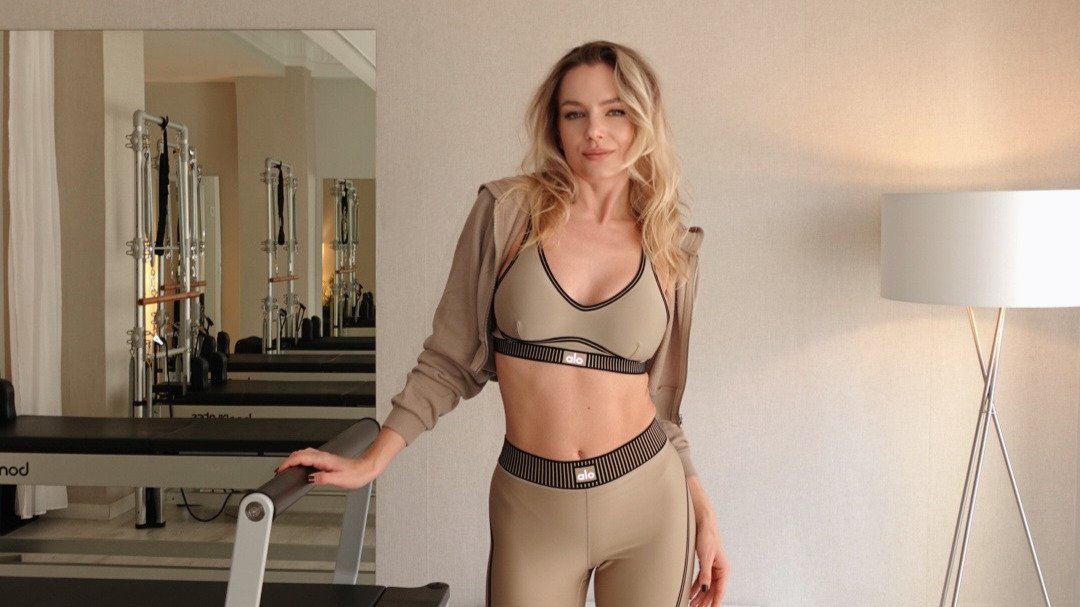
What if the two hours you spent mapping out tomorrow's advanced flow could be reclaimed in just five minutes? Using a dedicated reformer pilates class planning app allows you to move past the heavy mental load of remembering complex transitions or specific spring changes. It is a common professional friction point that often pulls your focus away from your clients and toward a clunky notebook or a messy stack of paper.
We understand that your presence in the studio is your greatest asset. We are here to help you restore your mental clarity and professional mastery. By utilizing efficient digital sequencing tools, you can transition from the stress of heavy preparation to the steady, calm flow of execution. You deserve a workflow that supports your expertise rather than distracting from it.
This guide provides a clear path to reclaiming your personal time while elevating your teaching presence. You will learn how to leverage curated video libraries and machine-specific configurations to streamline your daily workflow. We will explore the tools that act as a reliable co-pilot, ensuring you stay organized, practical, and fully engaged with every person in the room.
Key Takeaways
- Reclaim your personal time by shifting from hours of manual preparation to a five-minute digital sequencing workflow.
- Discover how a dedicated reformer pilates class planning app acts as a professional co-pilot, allowing you to focus on client form rather than paper notes.
- Learn to eliminate transition friction with personalized spring configurations tailored specifically to your studio's machine types.
- Master the "Peak Exercise" sequencing strategy to build intentional, high-mastery classes that prioritize client outcomes and flow.
- Understand why video-supported libraries are the most effective way to trigger rapid mental recall during high-energy studio sessions.
Table of Contents
- Why Every Instructor Needs a Reformer Pilates Class Planning App in 2026
- Core Features of a High-Performance Planning Tool
- Solving the "Spring Setup" Friction Point
- How to Sequence a 50-Minute Class in Five Minutes
- ReformerFlow: Designed by Instructors for the Studio Floor
Why Every Instructor Needs a Reformer Pilates Class Planning App in 2026
Professional teaching has evolved beyond the capacity of memory alone. In 2026, the digital planning ecosystem for instructors is no longer a luxury; it is a necessity for maintaining a sustainable career. The shift from simply "remembering moves" to "facilitating experiences" requires a level of mental space that manual methods often consume. When you use a reformer pilates class planning app, you are investing in a stabilizing force for your studio environment. It bridges the gap between your creative intent and the physical reality of the studio floor.
The return on investment for your preparation time is significant. Manual planning often takes two hours for a single session. Digital tools reduce this to minutes. This efficiency allows you to focus on the nuances of the Pilates method rather than the logistics of what comes next. It is the difference between being a presenter and being a practitioner. Consider the weekly impact. Saving 90 minutes per class across ten classes a week gives you 15 hours of your life back. That is time you can spend on your own practice, your family, or your professional development.
The Problem with Paper and Manual Notes
Physical notes create a barrier between you and your clients. Flipping through pages mid-class breaks the flow. It signals a lack of preparation, even if you spent hours writing them. Paper is static. It cannot help you find a modification for a specific injury in seconds. A handwritten notebook lacks the rhythm of a true Reformer flow. It is a legacy tool in a high-tech studio world. Searching for a specific progression in a notebook is impossible during a live session. Digital tools allow for instant filtering, ensuring your session never loses momentum. Clutter is the enemy of composure.
Reducing Cognitive Load for Better Teaching
Teaching a complex session involves high cognitive load. You are watching form, managing springs, and timing transitions. Mental friction occurs when you have to pause to remember the next sequence. A structured reformer pilates class planning app acts as a reliable co-pilot. It holds the sequence so your mind can hold the room. This digital backup builds a specific kind of professional confidence. You aren't just teaching; you are observing with total presence. When the logistics are handled, your eyes stay on the client's alignment. Your cues become sharper. Your corrections become more timely.
- Precision: Digital sequences ensure transitions are logical and safe.
- Clarity: Glanceable interfaces replace the need for deep reading mid-session.
- Mastery: Focus your energy on the artistry of the movement, not the list of exercises.
- Composure: Reduce the stress of "what comes next" to improve your teaching presence.
Core Features of a High-Performance Planning Tool
Effective digital sequencing isn't about having the most exercises. It's about having the right ones. Many platforms boast thousands of videos, but this often leads to decision paralysis. A high-performance reformer pilates class planning app should offer a curated library. We've found that 400+ exercises represent the professional "sweet spot." This volume provides enough variety for endless creativity without the clutter of repetitive or unsafe variations. It allows you to find exactly what you need with precision and intentionality.
Smart filtering by level, body focus, and equipment type further refines this process. You can isolate "Intermediate" and "Side-Lying" in seconds. This speed is essential when you're building a class between sessions or during a short break. Reliability also means having access across all your devices. Whether you use an iPhone, iPad, or Android, your plans must sync seamlessly. This cross-platform availability ensures you're never without your co-pilot, regardless of the studio's hardware.
Visual Cues and Video Libraries
High-definition video is superior to static illustrations. It captures the rhythm, breath, and subtle transitions that sketches miss. These videos serve as visual cues for rapid mental recall. When you see a five-second clip of a complex "peak" exercise, your brain immediately remembers the setup and safety cues. In the studio, glanceable thumbnails are vital. You shouldn't have to read a paragraph to know what's next. A quick look at your screen should be enough to trigger your expertise and keep the energy high.
Dynamic Sequencing and Drag-and-Drop Builders
The goal is to build a balanced 50-minute session in under five minutes. Drag-and-drop builders allow you to visualize the flow of the class as you create it. You can see the logic of your transitions at a glance. A professional tool prioritizes "smart transitions." This means minimizing unnecessary spring and footbar changes that disrupt the client's experience. Efficiency on the screen translates to efficiency on the reformer. Once you've crafted a successful sequence, you can save it as a template. This allows you to iterate on what works, refining your teaching style over time without starting from scratch. If you're ready to experience a more streamlined workflow, you can start with a 14-day free trial to see how these features fit your teaching style.
- Curation: 400+ high-quality exercises prevent decision fatigue.
- Recall: HD video thumbnails provide instant memory triggers.
- Speed: Drag-and-drop builders reduce planning time to minutes.
- Flow: Smart transitions minimize equipment adjustments for clients.
Solving the "Spring Setup" Friction Point
Generic spring calls are a professional liability. A "red spring" is not a universal unit of measurement. Tension levels vary significantly between manufacturers. If you're teaching on a Peak Pilates machine but your notes were written for a Stott Reformer, your clients will experience the wrong resistance. This leads to poor form or, worse, injury. A high-quality reformer pilates class planning app solves this by allowing you to pre-set your specific equipment profile. It translates the intention of the move into the mechanical reality of the machine in front of you.
Personalizing these settings for different levels is equally important. A "heavy" setting for a seasoned athlete is not the same as "heavy" for someone in their first month of practice. Digital tools allow you to toggle between resistance profiles instantly. This prevents the awkward pause while you calculate the right load for a specific client. You stay in the flow. Your clients stay in the work. It eliminates the mental math that often leads to mid-session hesitation.
Machine-Specific Precision
Precision is the hallmark of a master instructor. Your digital tool should allow you to select your Reformer model, whether it's an Allegro, Stott, or Peak. The software then translates generic resistance terms into the exact color configuration for that specific brand. This ensures safety and consistency across every session. It also simplifies modifications for injuries or pregnancy. You can quickly adjust settings without losing the rhythm of the class. You aren't just guessing; you're applying technical expertise with digital accuracy.
Glanceable Teaching Mode
Teaching is a performance of presence. You shouldn't be tethered to a device or squinting at a small screen. A dedicated teaching mode provides exactly what you need to see while standing over a client. Large fonts and clear, high-contrast icons for spring changes allow you to check your sequence from a distance. This design minimizes screen interaction. It keeps your hands free and your eyes on the clients. Eye contact is essential for building trust and ensuring proper form. By using a reformer pilates class planning app designed for the studio floor, you maintain your authority. You become a more observant, responsive teacher when the logistics are handled at a glance.
A standard instruction like "one red and one blue" is meaningless without machine context. On some reformers, that is a moderate load. On others, it is incredibly heavy. This friction point is where many instructors lose their composure. They stop the class to double-check the tension. They lose the client's attention. Digital sequencing tools eliminate this friction by anchoring every exercise to a specific machine profile, ensuring your session remains professional and safe.
How to Sequence a 50-Minute Class in Five Minutes
Professional sequencing is a craft, not a chore. A 50-minute session demands a logical arc that moves from foundational stability to a complex peak. When you use a reformer pilates class planning app, this creative process becomes a series of intentional choices rather than a frantic search for variety. Efficiency is the result of a structured workflow. It allows you to build a sophisticated experience without the burnout of traditional manual planning.
- Step 1: Define the Peak. Choose one focus, such as spinal mobility or gluteal strength. This exercise serves as the climax of your session.
- Step 2: Filter with Intent. Use the curated library to select movements that prepare the body for the peak. Curation is about quality, not quantity.
- Step 3: Group by Setup. Arrange exercises to minimize footbar and spring adjustments. This preserves the "flow" and keeps clients focused.
- Step 4: Refine the Resistance. Set your base spring configuration and note modifications for beginners or advanced practitioners.
The Anatomy of a Seamless Transition
Transitions are where most sessions lose their momentum. Moving a client from supine to seated shouldn't involve a three-minute equipment overhaul. Strategic grouping allows you to keep clients on the carriage for extended blocks. This maintains their heart rate and their focus. You can use your digital tool to flag potential "clunky" moments before the class starts. If a sequence requires too many footbar changes, the app helps you identify a smoother path. You are facilitating a continuous experience, not a series of disconnected movements. This level of foresight is what separates a good instructor from a master.
Personalizing Your Digital Plans
No two classes are identical. Your digital plan should be a living document that reflects the reality of your studio. You can add custom notes for specific clients, such as "watch knee alignment" or "needs shoulder modification." This level of detail builds trust and demonstrates your commitment to their progress. You can also adjust the "vibe" of the class within the interface, ensuring the energy matches the time of day. Reviewing your sequence on your phone or tablet before the first client arrives ensures you are fully prepared. If you want to experience this level of professional organization, start your 14-day free trial today and reclaim your planning time.
By following this structured approach, you ensure every class is balanced, safe, and engaging. You aren't just filling time. You're building a progression that leads to client mastery. The right digital tools don't replace your expertise; they amplify it by removing the logistical friction that gets in the way of great teaching.
ReformerFlow: Designed by Instructors for the Studio Floor
The \\reformer pilates class planning app\\, ReformerFlow by Ginty, isn't the product of a detached software corporation. It was built by instructor Ginty, who personally experienced the two-hour planning struggle. This app was designed specifically to solve the friction points found on the studio floor. It addresses the mental fatigue of remembering sequences and the physical clutter of paper notes. By choosing a tool created by a peer, you are using a system that understands the nuances of your daily work. It is a peer-to-peer approach to professional mastery.
Joining this community means aligning with instructors who value both their time and their teaching presence. We prioritize intentionality over sheer volume. Every feature, from the 400+ curated videos to the machine-specific spring settings, serves to reduce your cognitive load. This isn't just about making planning faster. It's about making your teaching more impactful. When you aren't worried about what comes next, you can truly see the person on the reformer.
Mobile Mastery: iPhone, iPad, and Android
The life of a freelance instructor is often mobile. You might plan a sequence during your morning commute on an iPhone and then teach from an iPad at the studio. ReformerFlow syncs your entire library across all your devices seamlessly. This ensures you always have access to your saved templates and custom client notes. It acts as a stabilizing force in a high-energy, fast-paced environment. Whether you're switching between boutique studios or teaching private sessions at home, your co-pilot is always ready. You don't have to worry about losing your flow or forgetting a transition.
Getting Started with Your 14-Day Trial
Finding your digital planning rhythm takes a small amount of practice. We offer a 14-day free trial so you can experience the transition from manual to digital without pressure. During your first two weeks, we suggest building at least three different classes. This allows you to explore the drag-and-drop builder and the glanceable teaching mode in a live environment. You'll quickly see how the 5-minute planning promise becomes your new reality. It's time to reclaim your personal time and elevate your studio presence. Start your 14-day free trial of ReformerFlow by Ginty today and discover a more composed way to teach.
- Authenticity: Built by an instructor to solve real studio problems.
- Flexibility: Full access on iPhone, iPad, and Android devices.
- Community: Join professionals dedicated to high-mastery teaching.
- Efficiency: Transition to a 5-minute planning workflow during your trial.
Master Your Flow and Reclaim Your Time
Transitioning to a digital workflow is about more than just speed. It's about protecting your mental clarity so you can show up fully for your clients. By integrating a reformer pilates class planning app into your routine, you replace the friction of manual notes with machine-specific precision. You have seen how personalized spring configurations and a dedicated Glanceable Teaching Mode can transform your studio floor experience from one of stressful preparation to one of professional presence.
Created by Ginty, a professional Reformer instructor, this tool acts as a reliable co-pilot for your career. It ensures that every transition is seamless and every machine setup is accurate to your specific equipment. You have the expertise; now you have the system to amplify it. Reclaim your personal time and focus on what truly matters: the movement and the person in front of you.
[Download ReformerFlow and Start Your 14-Day Free Trial](https://reformerflow.app/)
Your professional mastery is a journey of intentional choices. We are here to support that path with tools designed for the physical reality of your workday. We look forward to seeing you thrive in the studio.
Frequently Asked Questions
What is the best app for Reformer Pilates class planning in 2026?
ReformerFlow is the leading choice for instructors seeking professional mastery and efficiency. It stands out because it was designed by Ginty, an active instructor, specifically to solve real-world studio floor friction. The app prioritizes curation over sheer volume, offering a streamlined workflow that reduces planning time to five minutes while maintaining a high level of technical precision.
Can I use a Pilates planning app on both Android and iPhone?
Yes, professional tools like ReformerFlow are available on both iOS and Android platforms. This cross-platform availability ensures you can sync your library across an iPhone, iPad, or Android tablet. It allows you to build sequences on your phone during a commute and teach from a larger tablet screen in the studio without losing your progress.
Do I need to be tech-savvy to use a digital lesson plan tool?
No, the interface is designed for intuitive, glanceable use rather than complex technical management. A high-quality reformer pilates class planning app uses drag-and-drop builders and clear icons to simplify the process. The goal is to reduce your cognitive load, not add to it. If you can use a basic smartphone app, you can master digital sequencing.
Will using an app in class distract my clients?
Not if the app features a dedicated Teaching Mode designed for the studio floor. This mode uses large fonts and high-contrast icons so you can check your sequence from a distance. It minimizes screen interaction, allowing you to maintain eye contact and focus on client form instead of flipping through paper notes or looking away to read small text.
How many exercises should a good Reformer library have?
A library with 400+ curated exercises is considered the professional sweet spot for 2026. Excessive volume often leads to decision paralysis and cluttered search results. By focusing on a curated selection of high-quality movements with HD video support, you can maintain variety while ensuring every sequence you build remains safe, effective, and easy to navigate.
Can I customize spring settings for my specific Reformer brand in the app?
Yes, personalization is a core feature of professional planning tools. You can select your specific machine model, such as Allegro, Stott, or Peak, to ensure spring calls are accurate for your equipment. This prevents the danger of generic resistance advice and ensures the load is appropriate for the specific mechanical tension of the reformers in your studio.
Is there a free trial available for ReformerFlow?
Yes, we offer a 14-day free trial for all new users to explore the full feature set. This period is essential for finding your planning rhythm and experiencing the benefits of digital sequencing in a live studio environment. It gives you full access to the exercise library and Teaching Mode to build and teach your first several classes.
Does the app provide video demonstrations for every exercise?
Yes, every exercise in the 400+ library includes a high-definition video demonstration. These videos serve as rapid visual cues for mental recall during a session. They capture the nuances of flow and transition that static images or written descriptions miss, ensuring you always feel confident and prepared when introducing complex movements to your clients.