
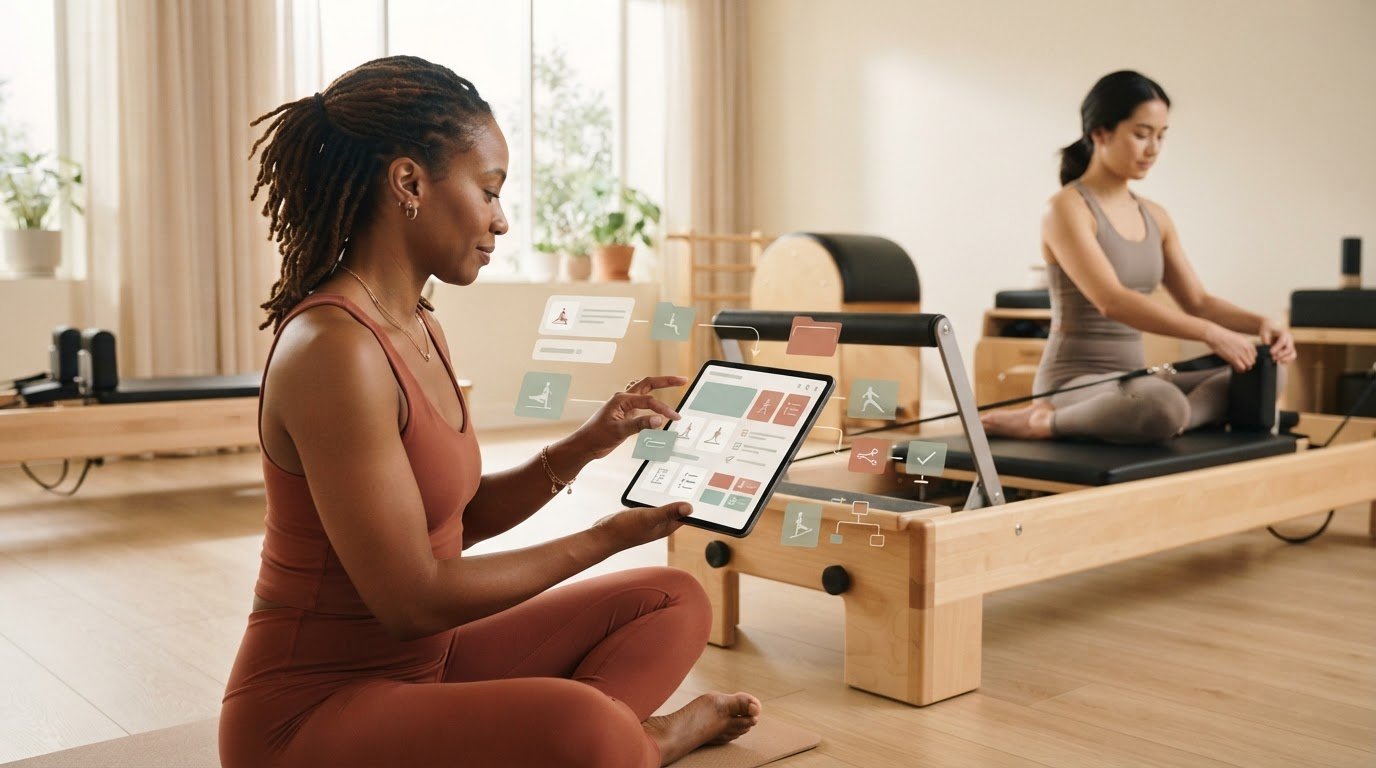
What if your next class plan were easier to find than the notebook or app where you saved it? Class plans and teaching observations often end up scattered across files, making useful details harder to retrieve when you’re preparing or teaching. Learning how to organize pilates class notes digitally starts with a simple distinction: keep reusable class plans separate from observations that help you refine your teaching.
A digital system shouldn’t create another layer of admin. It should help you find the right plan, capture useful reflections, and reuse your work without copying it between tools. This guide offers a practical structure for class plans, teaching notes, and reference material, along with a routine for keeping everything current.
For Reformer instructors, a focused planning tool can complement personal observation notes. ReformerFlow helps instructors build a class in about five minutes using a curated library of more than 400 exercises, with video, level, and spring-setup details personalized to their Reformer machine. Its teaching mode makes plans easy to scan during class. Keep these structured teaching references distinct from your own notes, so preparation stays organized and your attention stays on the room.
Key Takeaways
- Separate class plans, exercise references, teaching observations, and ideas to revisit so each note has a clear purpose.
- Learn how to organize pilates class notes digitally with a simple structure and consistent titles you can maintain.
- Compare note formats by setup effort, flexibility, retrieval, and how clearly they work as live-class references.
- Use a repeatable workflow to capture ideas, shape plans, prepare for class, and record useful observations afterward.
- Keep personal notes distinct from reusable Reformer plans, and choose tools that suit each task.
Table of Contents: How to Organize Pilates Class Notes Digitally
- Why Digital Pilates Class Notes Need More Than a Folder
- Build a Digital Pilates Class Notes Structure You Can Actually Maintain
- Compare Digital Notes Formats for Pilates Teaching
- Use a Repeatable Workflow to Capture, Find, and Refresh Class Notes
- Bring Digital Reformer Class Planning Into Your Teaching Routine
Why Digital Pilates Class Notes Need More Than a Folder
A class idea can start as a handwritten sequence, become a screenshot on your phone, then disappear into a folder of files with vague names. You don’t need to digitize every scrap of paper. You do need to give useful material a clear purpose and a reliable place. A folder can store information, but without consistent categories and titles, it can still leave you searching just before class.
A useful digital Pilates notes system separates reusable class plans, teaching references, and contextual observations so each is easy to retrieve and apply.
That distinction is the first practical step in how to organize pilates class notes digitally. Notes should support preparation, not become an archive you maintain for its own sake. Keep information that can shape future teaching, and add enough context to make it useful later. For foundational context, the history and principles of Pilates can help frame why an exercise or sequence belongs in your teaching references.
Separate reusable plans from client-specific observations
A class plan is a sequence you can adapt, such as a standing warm-up, a particular progression, or a session built around a movement focus. A teaching observation captures context, such as “allow more time for transitions” or “offer the lighter variation earlier,” without becoming a permanent description of an individual client.
Mixing the two makes both harder to use. A plan crowded with one person’s circumstances may be difficult to adapt for another class, while an observation buried in a sequence may be hard to find when you need it. Keep reusable teaching material distinct from contextual notes, and avoid unnecessary sensitive client details. This keeps plans practical and observations appropriately limited.
Decide what deserves a digital note
Before saving something, ask whether it will help you plan, cue, set up, or reflect on a future session. A useful note might capture a sequence that flowed well, a transition worth refining, or a setup reminder you tend to forget. A passing thought with no clear future use doesn’t need to become another item to sort.
- Save recurring sequences and progressions you may adapt.
- Keep concise cueing ideas that support clear instruction.
- Record transitions or setup reminders that affect class flow.
- Leave out details that add no future teaching value.
Apply your studio’s privacy and record-keeping policies to any teaching observations. When in doubt about what belongs in a note, focus on the teaching action rather than personal detail. The aim is a considered reference collection, not a complete record of everything that happened. With that boundary in place, digital notes can make preparation clearer without asking you to document more than your teaching requires.
Build a Digital Pilates Class Notes Structure You Can Actually Maintain
A reliable system doesn’t need elaborate folders, color codes, or a new app. It needs a clear path from capturing an idea to finding it again. To decide how to organize pilates class notes digitally, set up the structure in this order:
- Choose a digital home. Use a notes app, document system, or digital planner you already understand.
- Create a few categories. Make the first level easy to scan at a glance.
- Name notes consistently. Include a useful cue such as date, class focus, or level.
- Review and refine. Remove clutter and bring reusable material back into view.
Begin with four categories: Class Plans for complete sessions, Exercise References for movements and setup details, Teaching Observations for concise reflections, and Ideas to Revisit for concepts that aren’t ready to become a plan. These categories give each note a natural home without requiring a complicated filing system.
Choose a simple digital home and category structure
Pick a tool that fits your working habits. If you’re comfortable writing in a notes app, start there. If your plans naturally live in documents or a digital planner, use that instead. The goal is to make notes easier to classify and retrieve, not to commit to one specific software. Keep categories broad at first, and add a subcategory only when you regularly struggle to find something.
Predictable categories and descriptive titles make notes easier to retrieve because they show where to look and what you’ll find before you open a file.
Create a naming and review routine
Use titles that identify a plan at a glance. A simple pattern is enough: date, class focus, and level, when relevant. For example, “Oct 17, hip mobility, mixed level” is more useful than “Thursday class” or “New sequence.” You don’t need every detail in every title. Choose the cues you’ll use to recognize the note, then keep the pattern steady.
Set a brief recurring review, perhaps at the end of a teaching week or during your next planning session. Move outdated drafts out of the active view, update plans worth reusing, and promote promising items from “Ideas to Revisit” into a class plan or reference. A regular reset keeps the system useful without turning note maintenance into another project.
This structure can also support a broader paperless Pilates class planning workflow, while personal observations stay in the tool that suits them. For a focused way to build and reference full Reformer classes alongside your own note system, explore ReformerFlow for class planning.
Compare Digital Notes Formats for Pilates Teaching
The right format depends on what you need to find and how you’ll use it. A quick observation doesn’t need the same structure as a full class sequence, and a plan you’ll reference during instruction should be easy to scan. When deciding how to organize pilates class notes digitally, compare formats by the work they make easier, not by how many features they offer.
FormatSetup effortFlexibilityRetrievalLive-class readabilityBest-fit useFree-form notesLowHighDepends on titles and categoriesCan varyQuick ideas and observationsReusable templateModerate at firstModerateConsistent fields aid scanningClear if kept conciseRecurring class-plan detailsDigital plannerModerateModerate to highDepends on its organizationVaries by layoutVisual planning and linked materialsPurpose-built class-planning toolFocused setupStructured for its purposeOrganized around class planningMay support quick referenceBuilding and referencing classes
When free-form notes or templates are enough
Free-form notes suit fast capture: a cue that worked, a transition to test, or an idea to revisit. They’re flexible, but can become difficult to retrieve if every entry has a different title. A reusable template brings consistency to plans by prompting for the same details, such as class focus, sequence, and setup reminders. Keep only fields you use. Too many prompts turn planning into form-filling.
A digital planner can provide a visual workspace for arranging plans and related material. It may suit you if you like seeing a session laid out on a page, provided the format stays easy to scan on your device. With any of these options, keep personal teaching observations in the notes format you prefer. They don’t need to be forced into a class-planning tool.
When a Reformer-specific planning tool fits better
If building Reformer sequences and referring to exercise details are central to preparation, a purpose-built planning tool gives you structure beyond a blank note. ReformerFlow helps instructors build full classes from a curated library of more than 400 exercises. Entries include video, level, and spring-setup details personalized to the instructor’s Reformer machine. Its glanceable teaching mode makes it easy to reference a planned class while instructing.
A personal notes archive and a Reformer-specific planning tool serve different purposes. Keep observations in your chosen notes format, and use ReformerFlow for structured class planning and teaching references. The Reformer Pilates class planning app guide offers a closer look at how this type of tool can fit into preparation.
Use a Repeatable Workflow to Capture, Find, and Refresh Class Notes
A dependable notes system follows the rhythm of teaching: an idea appears, becomes a plan, supports a live class, then informs what you do next. Keep the process light enough to repeat. A practical Pilates notes workflow captures useful ideas, turns them into adaptable plans, makes key details glanceable, and carries forward only what improves future teaching.
Use this four-part cycle to keep notes active rather than letting them accumulate:
- Capture. Save a brief cue, sequence idea, or transition in the appropriate place. Add a few words of context so it still makes sense later.
- Shape. Turn ideas with future value into a class plan. Give it a recognizable title based on its focus, level, or date.
- Prepare. Before teaching, select a suitable plan and adapt it to the session. Keep the live reference focused on information you need to scan.
- Review. After class, note what’s worth adjusting or reusing, then move that insight to the right plan or reference.
To retrieve a plan, start with the words you’re most likely to remember. Search or browse by its title, class focus, or category in your chosen notes format. A title such as “Balance and control, mixed level” gives you more to work with than “Pilates class.” If the plan is filed under class plans, you also know where to look before opening it.
Prepare notes before class without overplanning
Begin with a plan that fits the session’s intended focus, then make only the adjustments the class calls for. During preparation, keep the sequence, setup reminders, and transitions visible and concise. A live reference isn’t a script for every cue. It’s a prompt that helps you retain the thread of the class while responding to the people in front of you.
For Reformer teaching, a purpose-built plan is useful when exercise details and machine-specific setup references matter. ReformerFlow supports building full classes from a library of more than 400 exercises, with video, level, and spring-setup details personalized to the instructor’s Reformer machine. Its glanceable teaching mode makes the planned class easy to reference while teaching.
Review after class and keep the system useful
After the session, capture only observations likely to change a future class. For example, note that a transition needs more preparation or that an alternative progression is worth keeping. Keep the reflection concise and focused on the teaching choice, rather than recording details that don’t help you plan.
During a brief recurring review, move reusable ideas into the relevant plan or exercise reference. Remove duplicates, revise unclear titles, and set aside drafts you’re unlikely to use. This small reset keeps retrieval straightforward and helps each note earn its place.
Explore ReformerFlow for Reformer class planning## Bring Digital Reformer Class Planning Into Your Teaching Routine
A clear system doesn’t mean every part of teaching needs to live in one app. Keep personal teaching observations in the notes format you prefer, and use a structured class plan for the sequence and exercise references you’ll need in a Reformer session. That separation keeps reflections personal and flexible while making the class easier to prepare and follow.
ReformerFlow is designed for planning and referencing full Reformer classes. It fits alongside your existing notes routine: build a class plan with exercise details, then keep your own observations separately for future reflection. You decide which observations are useful enough to carry into another session.
Build a class plan with Reformer-specific references
Start with the session’s focus, then build a full class using ReformerFlow’s curated library of more than 400 exercises. Exercise entries include video and level details, plus spring setups personalized to your Reformer machine. These references help you prepare the exercise sequence and review setup information without crowding personal notes with details that belong to the plan.
During class, a plan should support your attention, not compete with it. ReformerFlow’s glanceable teaching mode lets you reference the planned class while instructing. Your cueing choices and observations remain yours to capture separately, while the class plan provides the structured exercise reference.
Try ReformerFlow in your own planning routine
ReformerFlow is available for iPhone, iPad, and Android. It’s free to download and includes a 14-day free trial. Try building a class plan and see how its exercise references fit alongside the personal notes system you already use. You don’t need to rebuild your whole workflow. Start with one upcoming class and see whether structured Reformer planning makes preparation and live reference clearer.
The practical answer to how to organize pilates class notes digitally is to give each kind of information a useful role. Keep reflections in your chosen notes space, and let a focused planning tool handle structured Reformer classes. This division preserves the flexibility of personal notes while giving you exercise references designed for Reformer teaching.
Try ReformerFlow for your class planning## Make Your Next Class Easier to Prepare
A digital notes system should earn its place in your teaching routine. Start with one upcoming class: choose a plan, keep the live reference focused, and leave yourself a short reflection afterward. Notice what was easy to retrieve and what took too long, then make one small adjustment. That’s a practical way to refine how to organize pilates class notes digitally without turning organization into another task to manage.
Your notes can stay personal and flexible while a dedicated planning tool supports the structure of a Reformer class. ReformerFlow brings together a curated library of more than 400 exercises, personalized spring configurations, and a glanceable teaching mode. It’s available for iPhone, iPad, and Android, with a 14-day free trial.
Try ReformerFlow for your class planningBegin with the next class on your schedule. A clear, workable system can grow from there, one useful plan at a time.
Frequently Asked Questions
How do Pilates instructors organize class notes digitally?
Start by choosing one digital home for your notes, then decide what you need to retrieve most often. A simple method for how to organize pilates class notes digitally is to separate reusable plans from exercise references and teaching reflections. For example, save a plan under its movement focus, then keep a short reflection on what you’d adjust in a separate observation note. Use a title that makes the plan recognizable without opening it.
What should a Pilates class note include?
A useful class note includes enough information to guide preparation without becoming a full transcript. Record the session’s focus, the exercise sequence, transitions that need attention, and any setup details relevant to the equipment. Add cue reminders only when they help you teach the movement clearly. For example, a note might flag where to slow the transition or offer an alternative progression. Keep client-specific information limited and follow your studio’s policies.
Is a digital planner better than a paper Pilates teaching binder?
Neither format is automatically better. Choose the one that fits how you prepare and reference plans. A paper binder can be comfortable for handwritten edits or printed sequences, while a digital planner may suit instructors who prefer typed notes and an on-device reference. Consider where you teach, how you like to scan a plan, and how easily you can update it. You can also keep a digital archive while printing selected plans if that suits your routine.
How can I find an old Pilates class plan quickly?
Make the title searchable in the way you’re likely to remember the session. Include a distinct class focus, such as “rotation” or “hip mobility,” rather than relying only on a weekday or a generic label. If you remember an exercise but not the title, use a consistent category or include a short sequence description in the note. Avoid creating several near-identical copies. Update the original plan or clearly distinguish a new variation.
Can I use ReformerFlow to organize my personal teaching notes?
ReformerFlow focuses on building and referencing full Reformer classes. Keep reflections, teaching observations, and reminders in the notes app or document system you prefer. Use ReformerFlow for structured Reformer class planning, then record your own post-class thoughts separately. This division preserves the context of your teaching notes while using a class-planning tool for its intended purpose.
How do I keep digital class notes easy to use while teaching?
Prepare a teaching view that shows only the details you need to orient yourself: the sequence, transition points, and essential setup reminders. Break dense blocks of text into short phrases, and use consistent labels for sections such as warm-up, main sequence, and closing work. Before class, open the relevant plan and check that the important details are visible without extensive scrolling. Keep full reflections and background notes out of the live reference.
How often should Pilates instructors review and update class notes?
Capture a useful adjustment soon after class, while the reason for it is still clear. Review plans again before reusing them, especially if the session’s focus or teaching context has changed. A broader check every few weeks or at the end of a teaching cycle can help you spot stale drafts and plans you return to often. Let your schedule guide the rhythm. The review should keep notes useful, not become a fixed administrative burden.